
What’s New in 3D Printing Software in 2026?
Upcoming 2026 upgrades to 3D printing software will enhance slicing speed, multi-color processes, printer control, and model preparation. The new PrusaSlicer 3.0 preview, cloud features in OrcaSlicer, and improved model assembly, color management, and print preparation tools in Bambu Studio are some of the major enhancements. According to the official announcements and release notes from the manufacturer, these are the most crucial confirmed improvements.
1. PrusaSlicer 3.0 Introduces a Redesigned Interface
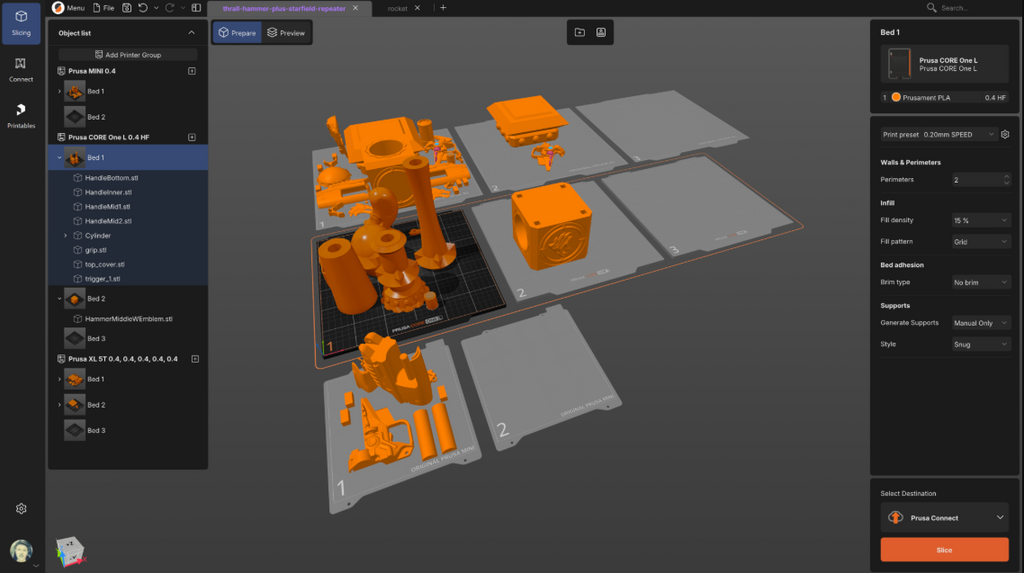
Prusa Research teased PrusaSlicer 3.0 to the public for the first time on September 1, 2026. A reworked internal architecture and a user interface overhaul are part of the upgrade.
New project management, enhanced scene rendering, enhanced performance, revamped print profiles, and a secure plugin system are all part of the preview, according to Prusa. Additionally, it brings support for numerous projects and build plates.
For what it's worth: Complex printing workflows should be easier to handle with the new architecture and interface. Nevertheless, PrusaSlicer 3.0 is only a preview and not a final stable release, so you won't be able to use all of the features introduced in version 2.x just yet.
Source: Official PrusaSlicer 3.0 announcement
2. OrcaSlicer Adds Cloud Sync and Better Printer Connectivity
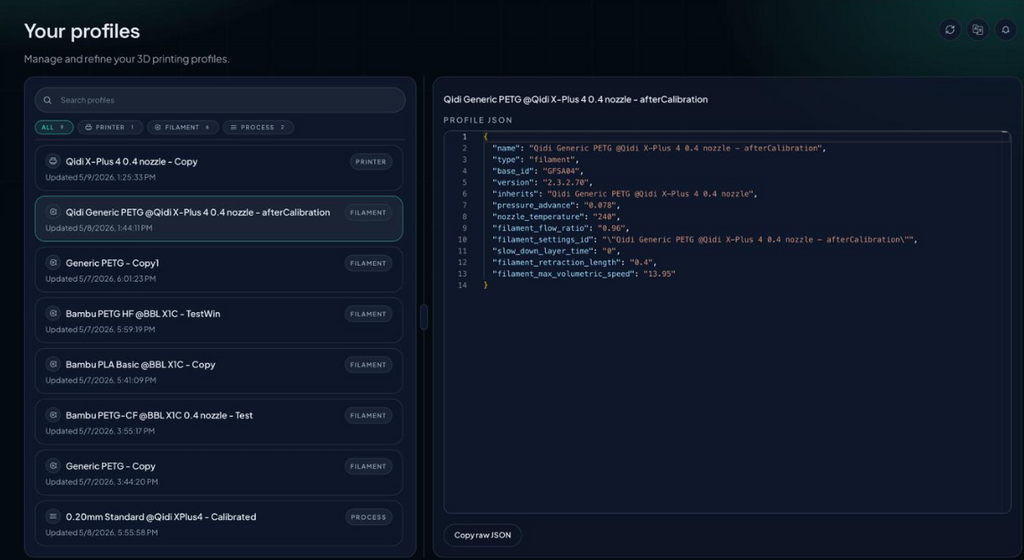
Included in Orca Cloud's 2.4.0 release of OrcaSlicer were enhancements including profile synchronization and sharing. Users can also package 3MF files to deliver to printers as sliced jobs.
The new version has a revamped printer-selection dialog, faster slice-to-preview processing, and better skirt generation. Reliability of profiles, synchronization with the cloud, printer connection, and bug fixes have been the primary goals of subsequent 2.4.x maintenance releases.
Why it matters: This is important because it allows users to more easily synchronize presets and have a more uniform workflow, which is great for users who manage many printers or share profiles. Depending on the printer and its settings, OrcaSlicer can connect to a variety of printer ecosystems.
Source: Official OrcaSlicer 2.4.0 release notes
3. Bambu Studio Improves Multi-Color Printing and Filament Management
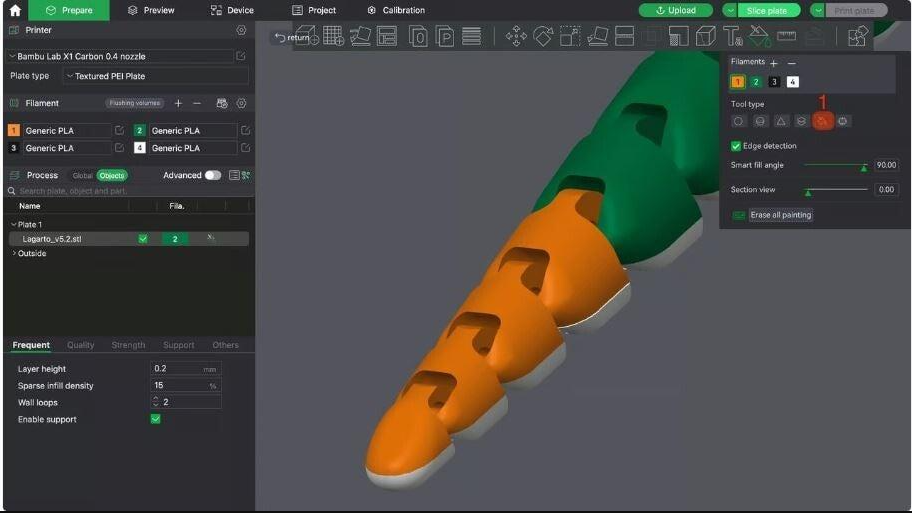
In 2026, Bambu Studio got a slew of useful upgrades. Using imported STEP models, the new Assembly Guide function in version 2.8 can provide visual, step-by-step assembly instructions.
Upcoming versions enhanced color prediction and color decomposition, streamlined filament management, and provided support for more hotend combinations. Software controls and the slicing engine were both improved.
You may now modify the width of the infill lines on the first layer individually, see graphical explanations of the slicing options, and add an Archimedean spiral ironing pattern to your designs with version 2.8.3 Beta.
Why it matters: These changes help users prepare complex assemblies, manage filaments, and refine surface quality without relying entirely on external software. Some features are available only in beta releases or on compatible hardware.
Source: Official Bambu Studio release notes
4. PrusaSlicer 2.9.6 Adds ColorMix
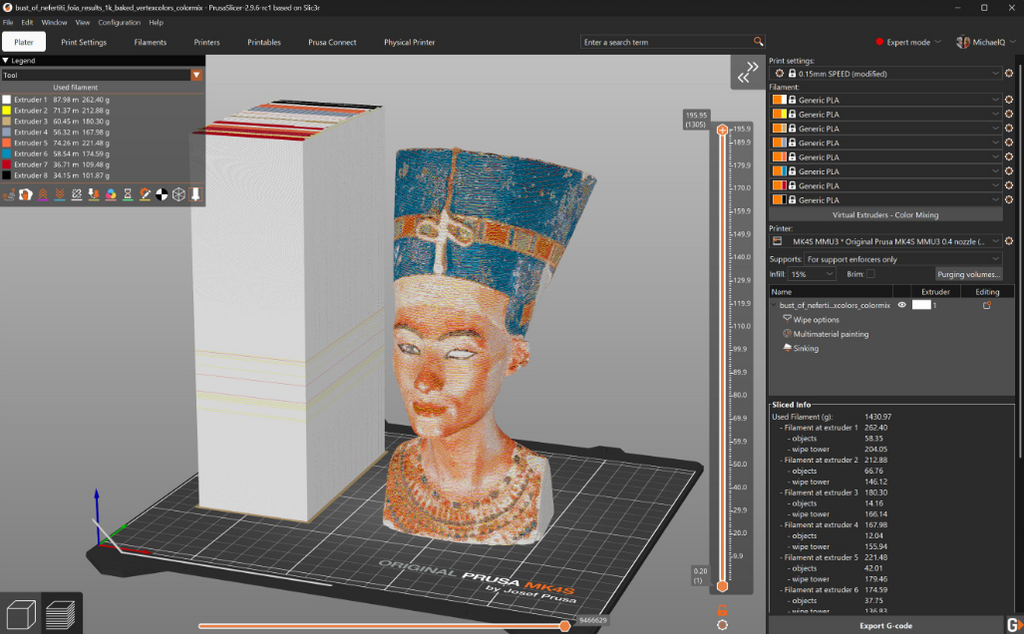
The 3.0 version of PrusaSlicer is getting all the attention, but the 2.9.6 stable release is still very important. It debuted ColorMix on June 29, 2026, a function that alternates filaments between layers to generate color effects.
The feature continues the work of the community-developed FullSpectrum method. Though the outcome is model- and filament-dependent, it provides an alternative method to the traditional multi-nozzle setup for producing color transitions. Corrections to the G-code preview behavior and improvements to the handling of filament-specific fan speeds are also part of this release.
Why it matters: ColorMix gives users another option for producing layered color effects. It is different from printing multiple colors side by side within the same layer, so it should not be treated as a replacement for every multi-material system.
Sources: PrusaSlicer downloads and release information · PrusaSlicer releases
5. Slicer Updates Focus More on Print Quality
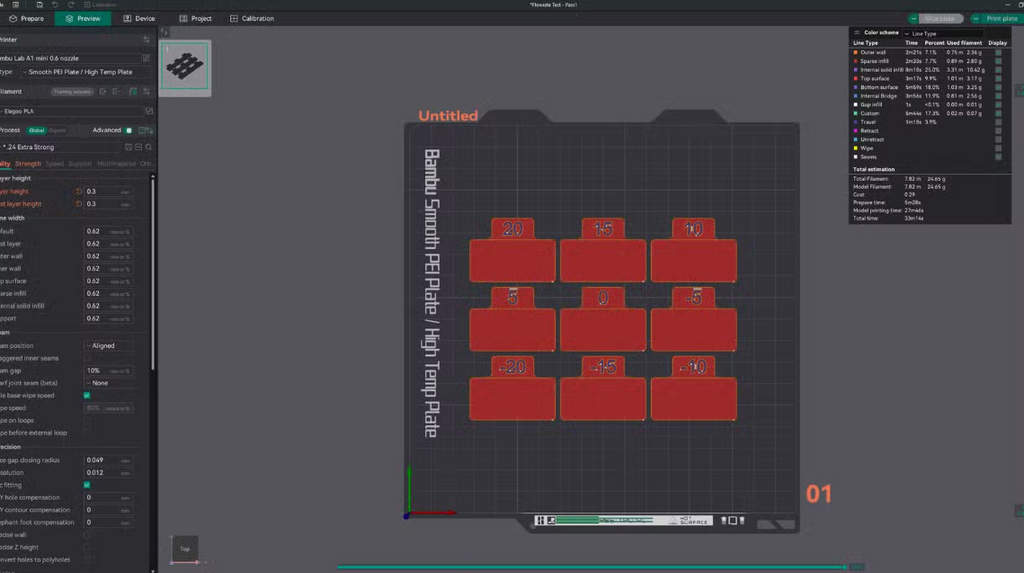
Instead of depending solely on overall speed improvements, software developers are enhancing certain toolpaths. New to Bambu Studio 2.8.3 Beta is a first-layer infill line-width setting in addition to an Archimedean spiral ironing pattern. In addition to other slicing enhancements, OrcaSlicer 2.4.0 has a new take on bridging behavior.
For particular printing problems, these features provide solutions. When you iron, the top surfaces will look better, and when you adjust the bridge settings, the filament will cross wider spaces. To fine-tune the first layer for a certain printer and material, users can make adjustments to the first-layer infill.
Why it matters: More targeted controls can help users improve surface finish and solve specific defects without changing unrelated settings. Results still depend on the printer, filament, geometry, and calibration.
Sources: Bambu Studio releases · OrcaSlicer 2.4.0 release notes
6. Slicer Software Is Becoming More Connected
The tightening of connections across slicers, printer networks, and cloud-based profile management is another verified advancement. Subsequent maintenance releases enhanced synchronization and printer connectivity, while OrcaSlicer 2.4.0 included Orca Cloud capability. The desktop workflow of Bambu Studio keeps getting better with the integration of filament management and device controls.
Because of these advancements, it is no longer necessary to manually handle each print file, filament profile, and printer configuration. Software version, printer support, and connection technique are the three main factors that determine whether cloud features and network printing are available.
Why it matters: Connected workflows can make it easier to manage multiple printers, maintain consistent presets, and transfer print jobs. Users who prefer local-only workflows should check the available network and cloud settings before enabling synchronization.
Source: OrcaSlicer release history
7. Model Preparation Is Becoming Part of the Slicer Workflow
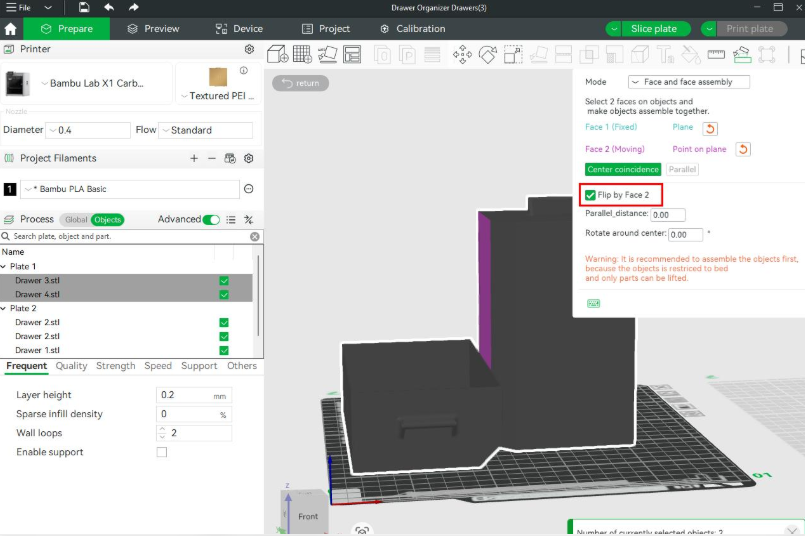
Slicing software is increasingly handling tasks that previously required separate modeling or utility tools. Bambu Studio's Assembly Guide can create visual assembly steps from STEP models. Its recent releases have also refined model interaction, color tools, and texture-import workflows.
These are practical additions rather than full replacements for CAD software. Detailed mechanical design, dimension-driven editing, and complex mesh sculpting may still require dedicated modeling applications.
Why it matters: Users can complete more preparation tasks inside one application, reducing file transfers between programs. For technical parts, always verify dimensions and inspect the exported model before printing.
Source: Bambu Studio official release notes
8. Formlabs PreForm Adds Better Resin and Powder Print Controls
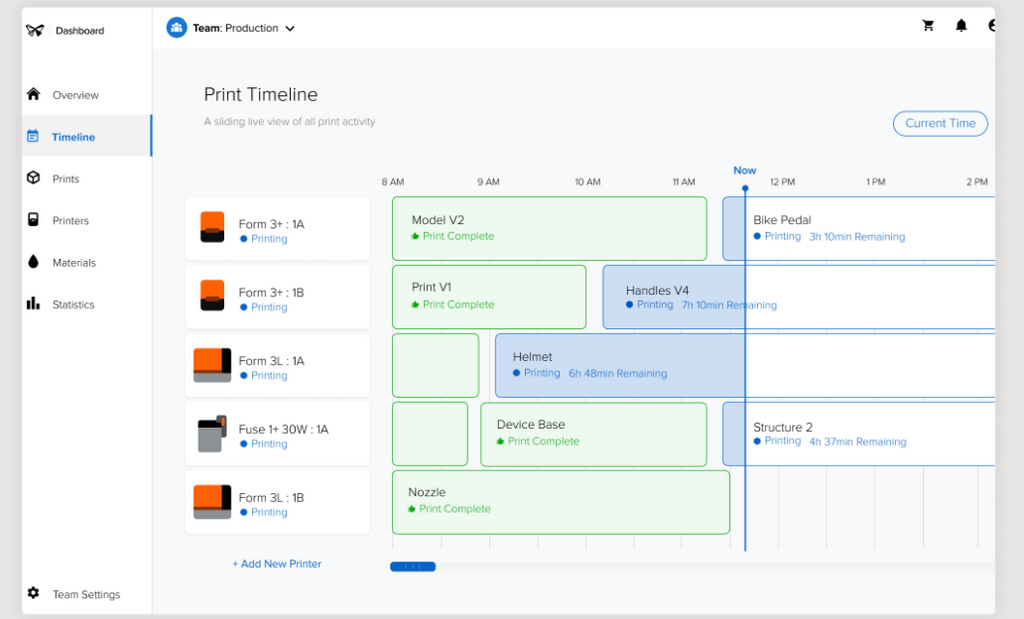
PreForm, Formlabs' print preparation software, received several updates in 2026 for its SLA and SLS printing systems. PreForm 3.60.0 introduced automatic recovery after unexpected shutdowns, a realistic material preview, Fuse X1 support, and variable Z-axis print scale correction.
Later updates added material-specific print settings. For example, PreForm 3.63.1, released on September 25, 2026, introduced a Fast Arch print setting for Fast Model Resin and updated the 160-micron profile to improve peel reliability on compatible Form 4 and Form 4L printers.
Why it matters: These updates give users more control over print preparation, material selection, and dimensional accuracy. The features are designed for compatible Formlabs systems, not generic FDM printers.
Source: Official PreForm release notes
9. FreeCAD Continues to Improve Open-Source Parametric Modeling
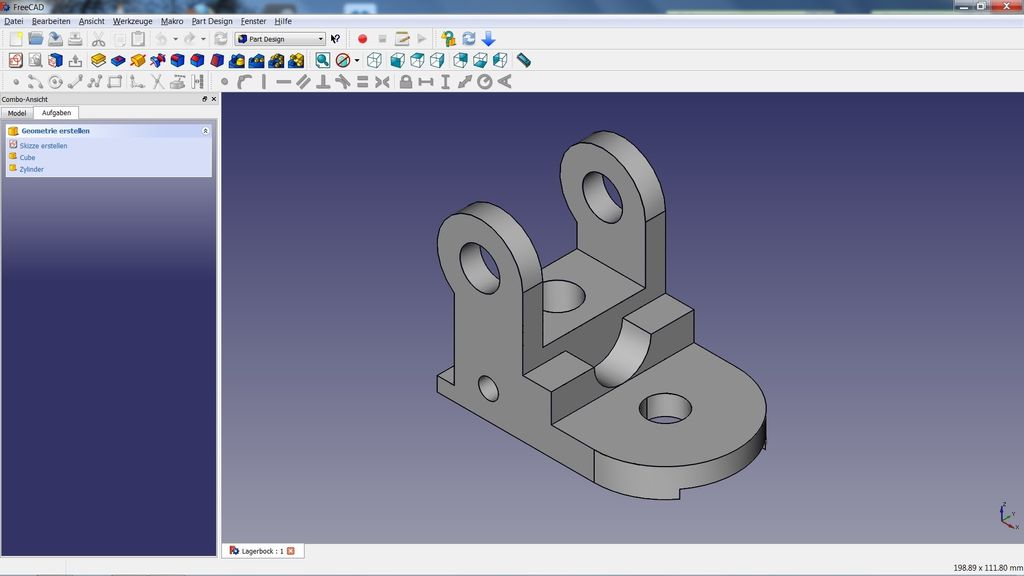
FreeCAD remains an important option for users designing functional parts, brackets, enclosures, and mechanical components for 3D printing.
In 2026, the project released FreeCAD 1.1.3, a maintenance update that includes security fixes for vulnerabilities involving specially crafted FreeCAD files. The project also continues to publish development builds for testing new changes.
Why it matters: FreeCAD gives makers access to parametric CAD tools without a paid software subscription. Parametric modeling is particularly useful when a printed part needs to be resized or revised while preserving its design relationships.
For everyday printing, use a stable release for production work rather than a weekly development build.
Source: Official FreeCAD releases
10. Resin Slicers Are Improving Dimensional Accuracy
Resin printing software is also receiving practical improvements. Formlabs' PreForm 3.57.0 introduced Z-Bleed Compensation controls for compatible Form 4 and Form 4L printers, helping users improve accuracy on features such as threads and overhangs.
Subsequent releases refined print settings for different resins and printer generations. These changes show how resin slicers are increasingly addressing material- and geometry-specific problems rather than relying on one general-purpose profile.
Why it matters: Small improvements to exposure, peel behavior, support generation, and dimensional compensation can make a difference when printing detailed parts. Always use settings intended for your specific resin and printer combination.
Source: Formlabs PreForm release notes
Best 3D Modeling Software
SelfCAD is an all-in-one 3D design tool for creating and preparing models for 3D printing. Its modeling, sculpting, and mesh-repair tools help users fix common design issues before exporting STL files for slicing. Features such as Magic Fix, Simplify, Fillet, and Chamfer are useful for repairing meshes, reducing model complexity, and refining edges. With its built-in slicer, users can also prepare models for printing without switching between multiple applications.
Final Thoughts
The clearest 3D printing software developments in 2026 are practical improvements to existing workflows: PrusaSlicer is preparing a major interface and architecture update, OrcaSlicer is improving cloud and printer connectivity, and Bambu Studio is adding more tools for color handling, assembly, and surface quality.
These updates do not eliminate the need for calibration or good model design. They give users more ways to control print preparation and reduce repetitive work. For most makers, the best upgrade is the one that solves a real problem in their current workflow—not simply the newest version number.