
What Is Mix Nozzle Printing on K3? How Is It Valuable?
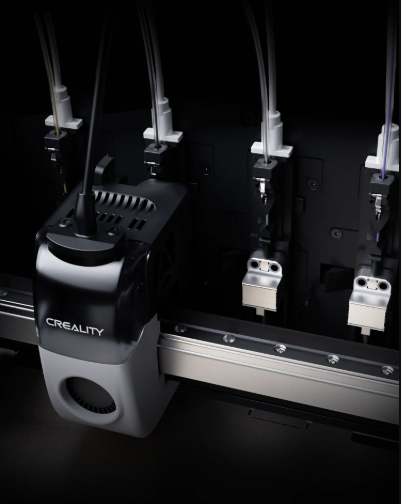
Most 3D printers make you choose one nozzle size before a print starts. A 0.4 mm nozzle is the common choice because it offers a good balance between detail and speed. The Creality K3 takes a different approach. Its KliTek™ system uses four independently loaded nozzles, allowing different nozzle diameters to be used during the same print. This is what Creality calls Mix Nozzle Printing or multi-diameter printing. The idea is simple: use a small nozzle where detail matters and a larger nozzle where speed matters. Creality currently supports 0.2, 0.4, 0.6, and 0.8 mm nozzle sizes for this workflow.
Four Nozzles With Different Diameters
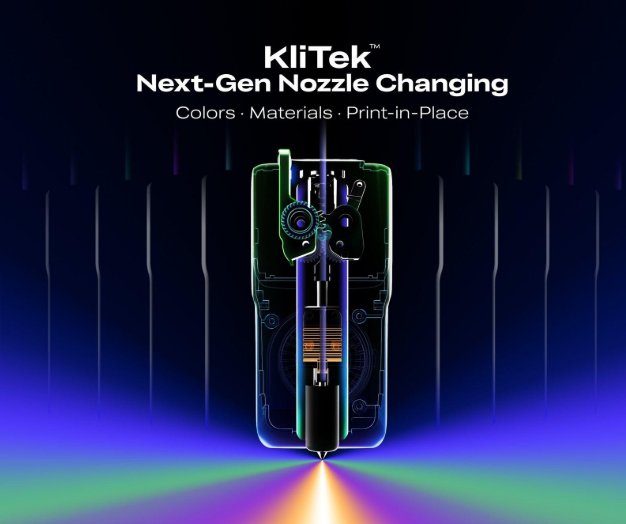
The four-nozzle architecture is the key feature of the Creality K3. You can set up several nozzle sizes for various extruders, so you don't have to use a single nozzle for the whole model.
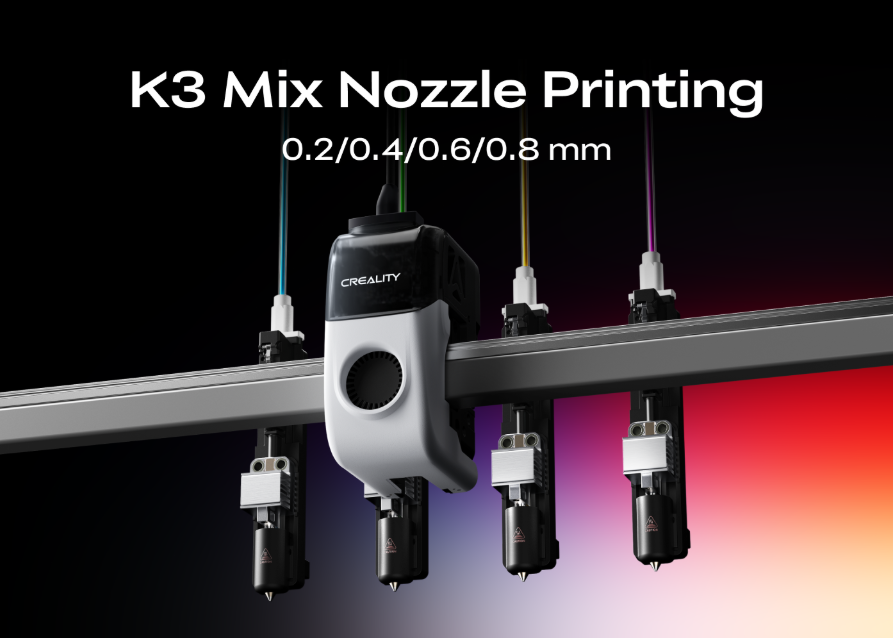
Extremely minute details are manageable with a 0.2 mm nozzle. For regular walls and general-purpose printing, a 0.4 mm nozzle will do the trick. A 0.6 mm nozzle strikes a good mix between precision and speed. Rapid coverage of wide regions is possible with a 0.8 mm nozzle.
By default, Creality's current K3 setup comes with four 0.4 mm nozzles. The multi-nozzle kit, which is an optional accessory, allows you to access the different nozzle sizes.
0.4 mm for Detail and 0.8 mm for Speed
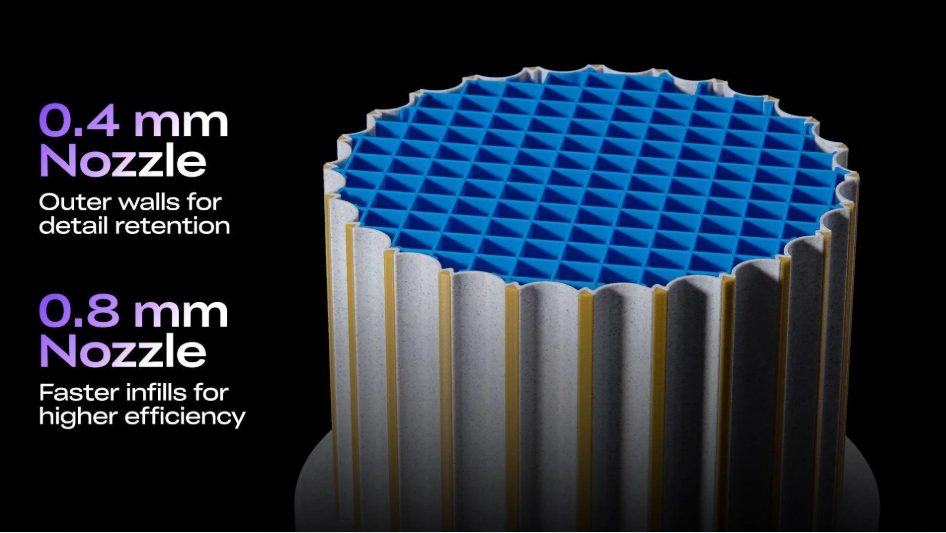
The simplest example of Mix Nozzle Printing is using 0.4 mm + 0.8 mm in the same model. The 0.4 mm nozzle can print the outer walls. This helps retain surface detail and produce cleaner-looking surfaces. The 0.8 mm nozzle can then print infill and other large internal areas.
This avoids forcing a small nozzle to print every part of the model. Creality says this approach can increase printing efficiency by up to 30% when the larger nozzle is used for suitable regions.
The K3 Can Reduce Print Time
The value becomes clearer with a real Creality test. For its Wolf Bust example, Creality reports a print time of 49 hours 29 minutes using K3 Mix Nozzle Printing. The same comparison with a single nozzle is listed at 149 hours 8 minutes.
Creality's laboratory data also reports 231 g of waste for the K3 setup with a prime tower, compared with 2,645 g for the single-nozzle setup with prime and purges. These are Creality's test results, so actual savings will depend on the model, infill, materials, nozzle sizes, and slicing settings.
A Larger Nozzle Is More Than a Wider Line
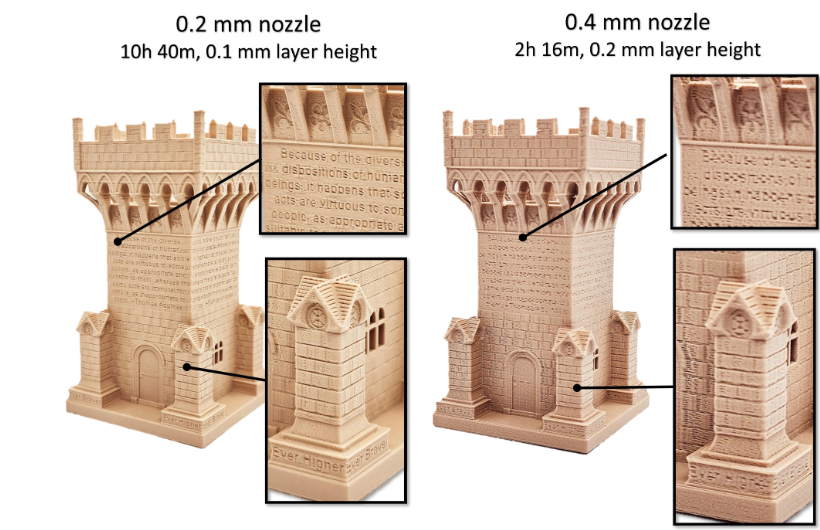
It may seem that you could simply use a 0.4 mm nozzle with a very wide line width and get the same result as a 0.8 mm nozzle.
That is not quite how it works. A 0.8 mm nozzle can handle higher extrusion volumes and wider extrusion paths more naturally. Changing nozzle diameter also affects line width, layer height, flow rate, cooling, speed, and pressure requirements.
Creality specifically warns that simply setting a 0.4 mm nozzle to a very large line width is not equivalent to using a real 0.8 mm nozzle. The larger nozzle has its own operating range that needs suitable slicer settings.
Different Nozzles Can Handle Different Parts
Mix Nozzle Printing becomes particularly useful when a model contains areas with very different requirements. For example, imagine a mechanical enclosure. Its outer walls may need a smaller nozzle for clean edges and visible surfaces. Its internal infill does not need the same level of detail.
The K3 can assign the larger nozzle to these larger internal regions while keeping the smaller nozzle for the areas that people actually see. Creality Print 7.3 adds the ability to assign different nozzle sizes to individual extruders and configure their machine, process, and filament parameters independently.
0.2 mm for Tiny Details
The 0.2 mm nozzle is useful when small features are more important than speed. It can be useful for small text, narrow walls, tiny contours, and other fine features. The smaller opening allows the slicer to create thinner extrusion paths.
However, there is a trade-off. Printing large sections through a 0.2 mm nozzle generally takes longer. This is exactly where Mix Nozzle Printing makes sense. You do not have to use the 0.2 mm nozzle for the entire model. You can reserve it for the small areas that actually need it.
0.6 mm for a Middle Ground
The 0.6 mm nozzle sits between the common 0.4 mm size and the high-flow 0.8 mm option. It can provide faster material deposition than a 0.4 mm nozzle while retaining more detail than a 0.8 mm nozzle.
This makes it useful for models where you want better productivity but do not need the maximum flow of the 0.8 mm nozzle. Creality Print supports 0.2, 0.4, 0.6, and 0.8 mm presets for K3 multi-nozzle printing.
Creality Print Handles the Nozzle Settings
Mixed-nozzle printing requires more than physically installing different nozzles. The slicer needs to know which nozzle is being used and which areas should use it.
Creality Print 7.3 introduced dedicated support for K3 multi-nozzle printing with different diameters. It can check whether the selected layer heights are compatible with the chosen nozzle and warn about unsupported configurations.
After slicing, you can also inspect the toolpaths, supports, and wipe tower before sending the job to the printer. For K3 users, Creality Print 7.3 or later is therefore important for the current multi-diameter workflow.
Same Layer Height, Different Nozzle Sizes
Mixing nozzle diameters does not mean that every part of the model needs a completely different print setup. Creality's current approach allows different nozzle sizes to work within the same print while matching each nozzle with appropriate line width, flow, speed, and toolpath settings.
The nozzle can change according to the printing task. This means a model can keep its overall layer structure while switching between a smaller nozzle for detailed geometry and a larger nozzle for broad areas.
Nozzle Preheating Makes Switching Faster
The K3 does not simply wait for every nozzle to heat from scratch. Creality Print can identify the next nozzle required by the toolpath and begin preheating it while the current nozzle is still printing.
This reduces waiting during nozzle changes. The KliTek system itself is designed for very fast switching. Creality specifies a nozzle change time of around 4.8 seconds, while its KliTek information describes switching between nozzles in under five seconds.
Less Waste During Multi-Color Printing
Mix Nozzle Printing is not the same thing as color mixing. But the K3's multi-nozzle design also has a major advantage for multi-color and multi-material printing.
Traditional single-nozzle systems often need retraction, filament unloading, loading, and purging whenever the material changes.
KliTek uses separate channels and nozzles. This reduces the repeated purging associated with traditional single-nozzle color changes. Creality claims up to 85% less filament use and up to 80% less overall print time for its broader K3 nozzle-changing workflow. The actual result will depend heavily on the print.
It Can Also Help With Strength
Time isn't the only benefit of a bigger nozzle. When working with big structural areas, wider extrusion lines are advantageous since they allow for the creation of thicker material routes. Since rapid material deposition takes precedence over surface detail, a bigger nozzle may be a good fit for functional components.
A model may employ a 0.4 mm nozzle for the exterior walls that are visible and a 0.8 mm nozzle for the interior structures, as an illustration. Speeding up the printing of each segment should not be the primary objective. To utilize the section-appropriate nozzle is the key.
What About TPU?
The K3's multi-nozzle architecture also works alongside Creality's S-Drive™ feeding system. Creality says the system is designed for flexible materials and supports TPU from 85A to 95A, with a claimed maximum flow rate of 15 mm³/s for TPU 95A. Creality describes this as up to seven times the flow rate of standard consumer 3D printers.
The KliTek system is also designed to support TPU as soft as 80A, according to Creality's technology information. These capabilities require the appropriate accessories and settings, so they should not be treated as equivalent to ordinary PLA printing.
Is Mix Nozzle Printing Worth It?
Not necessarily for the most basic printing. It is still easy and adaptable to use a single 0.4 mm nozzle. Changing the nozzle size might not make much of a difference if you're printing tiny things with a constant shape.
Prints with high infill, functional components, intricate surfaces, huge models, and several materials make the value much more apparent.
Nozzles as small as 0.8 mm can efficiently fill expansive interior spaces. You may keep the surface detail using a 0.4 mm nozzle. A 0.2 mm nozzle is capable of handling small details. The K3 eliminates the need to settle for a single tool by allowing you to switch between them as needed.
Best 3D Modeling Software for Education
SelfCAD can complement the K3 workflow by helping you create and modify models before slicing. Its Boolean tools let you create precise cuts and combine shapes, while Geom Clean removes duplicate or overlapping geometry that can cause printing problems. Magic Fix can repair common mesh issues such as holes, non-manifold edges, and inverted normals, helping prepare models for a cleaner print.
Final Verdict
The Creality K3's Mix Nozzle Printing is a standout feature. The K3 incorporates the nozzle diameter into the printing approach rather than viewing it as a one-time parameter.
With Creality Print's multi-diameter support, automatic preheating, rapid nozzle switching, and 0.2, 0.4, 0.6, and 0.8 mm nozzle options, users can effortlessly balance detail, speed, material flow, and strength all in one print.
The most significant advantage is obvious: avoid situations where a small nozzle is unnecessary. For fine details, use the fine nozzle. For bigger regions, use the bigger nozzle. Allow the slicer to manage the process. For that reason, the Mix Nozzle Printing feature is so useful on the K3.