
What Is LiDAR and How Is It Used for 3D Printing?
LiDAR is becoming an important technology in 3D scanning and modern 3D printing. It can measure surfaces, capture depth information, create 3D data, and even help a printer check its own print process.
LiDAR stands for Light Detection and Ranging. It uses laser light to measure the distance between a sensor and a surface. The measurements can then be combined to create a 3D point cloud or mesh.
For 3D printing, LiDAR has two main roles. You can use it to capture real-world objects and turn them into digital models, or use it inside a 3D printer for tasks such as first-layer inspection and calibration.
What Is LiDAR?
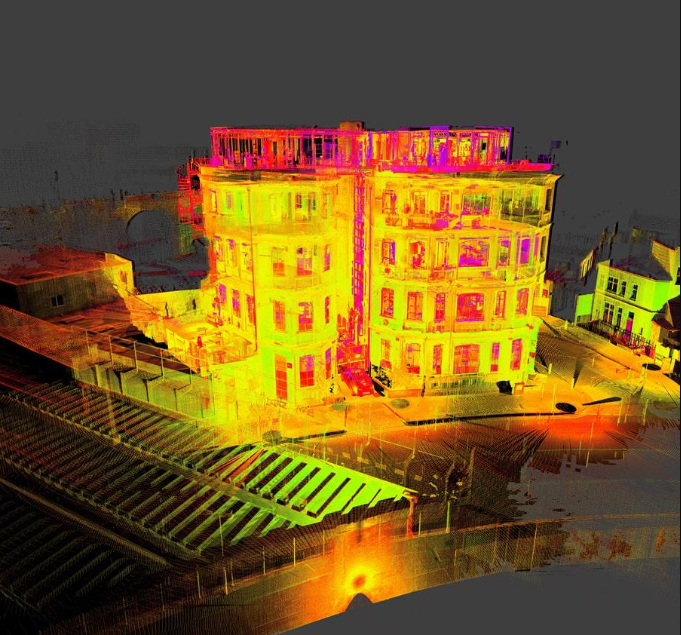
LiDAR is a remote-sensing technology that uses pulses of laser light to measure distances. The Light Detection and Ranging (LiDAR) technology uses pulses of laser light to scan an area and record the reflected light.
The device measures distance by tracking how long it takes for a laser pulse to go to and from the surface. It constructs a dense collection of three-dimensional points, or a point cloud, by taking measurements from various locations and angles. Each point on the surface contains detailed spatial information about its exact location.
The next step is to transform this information into a three-dimensional model of the item, space, structure, vehicle, or even the entire environment. Large-scale surveying and mapping were the initial uses for LiDAR. Its current applications include building, robotics, autonomous cars, surveying, 3D scanning, augmented reality, and archeology.
How Does LiDAR Work?
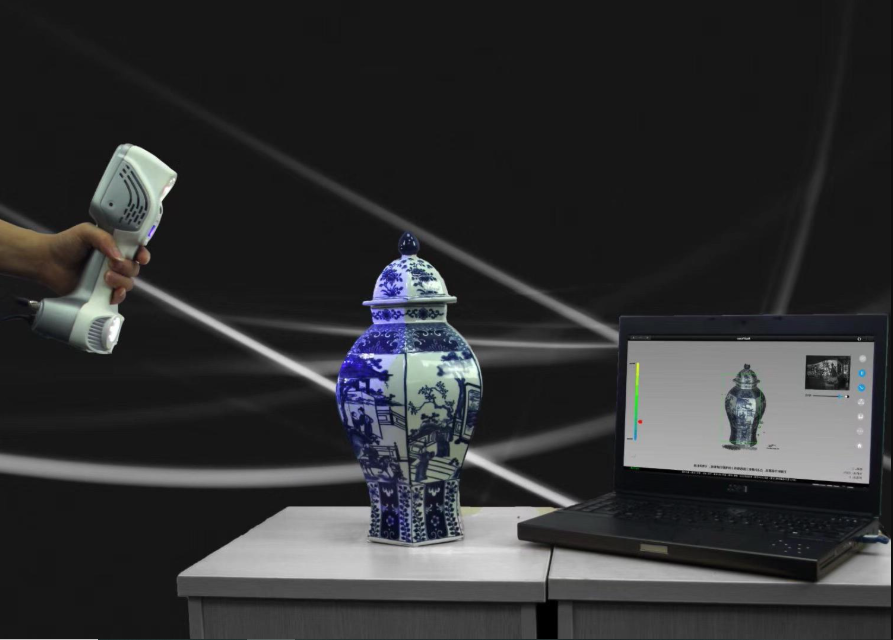
A typical LiDAR system contains a laser, a sensor or scanner, and processing hardware. Some systems also combine the laser with cameras, GPS, and inertial measurement systems.
The basic process is simple:
Laser pulse → surface → reflected light → distance measurement → point cloud → 3D model
A LiDAR scanner can send many pulses as it moves around an object or environment. The scanner records where those pulses return from and combines the measurements into a point cloud.
The point cloud is not automatically a perfect 3D-printable model. It may contain unwanted data, gaps, noise, or areas that were not captured. Software is therefore often needed to clean the scan and convert it into a usable mesh.
How Is LiDAR Used for 3D Printing
1. Scanning an Existing Object
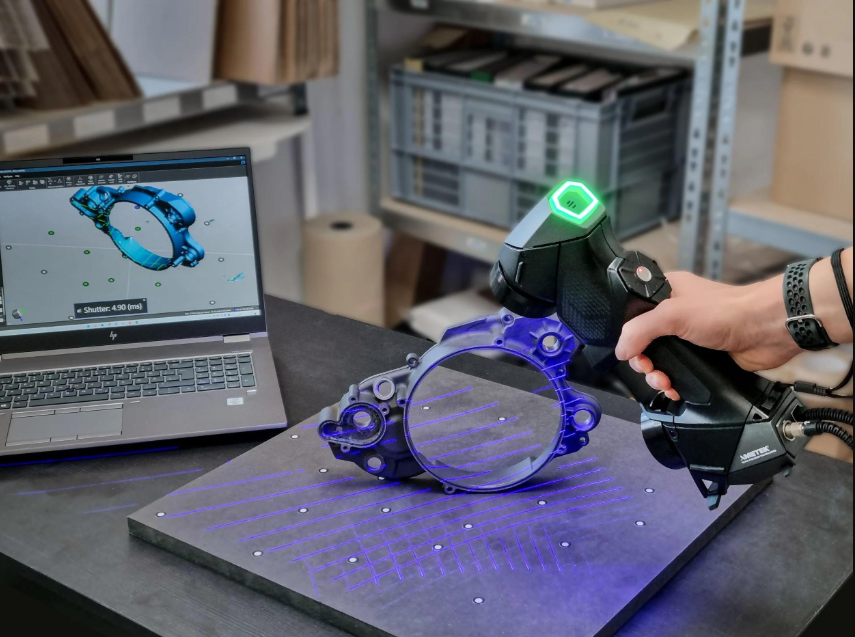
Suppose you have a physical replacement part but no original CAD file. A LiDAR scanner can capture the object's geometry and create a digital point cloud. The point cloud provides a 3D reference that can be processed into a usable mesh.
2. Reverse Engineering for 3D Printing
LiDAR is also useful for reverse engineering. Engineers and designers can scan an existing component, recreate its geometry, make changes, and produce a new prototype with a 3D printer.
This is useful for replacement parts, housings, brackets, industrial components, and other objects where the original CAD model is unavailable.
3. Checking the First Layer
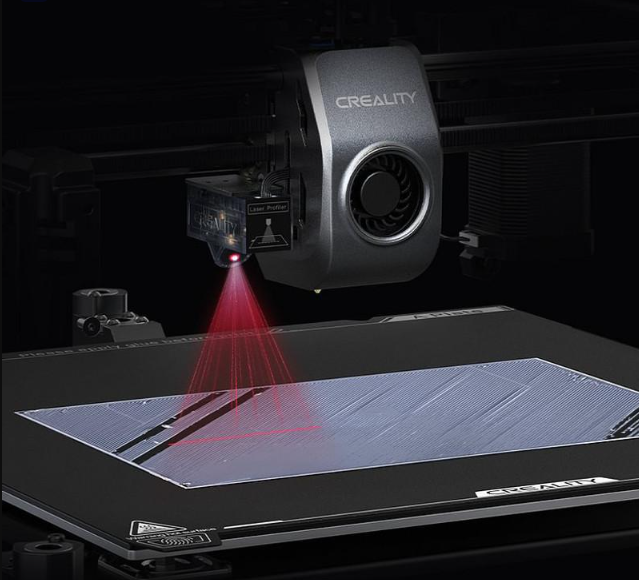
LiDAR can also be built directly into a 3D printer. A good example is the Creality K1 Max. Its AI LiDAR scans the first layer at a stated 1 μm resolution and can pause the print when it detects a problem. Creality also uses the LiDAR system for flow-rate optimization.
This gives the printer information about what is actually happening on the build surface instead of relying only on preset measurements. That can help identify first-layer problems before they ruin a longer print.
4. Improving Print Accuracy
LiDAR can provide detailed measurements that help a printer or software system compensate for differences in the build surface. In the K1 Max, for example, LiDAR works alongside the printer's other leveling system to map the build surface and support first-layer accuracy.
For scan-to-print workflows, accurate scanning can also reduce the amount of manual measuring needed when recreating an existing part. However, the scan still needs proper processing before it becomes a reliable printable model.
5. Creating a Scan-to-Print Workflow
A typical LiDAR-based workflow looks like this:
Physical object → LiDAR scan → Point cloud → Mesh → Cleanup → CAD/model editing → STL/3MF → Slicing → 3D printing
The important point is that LiDAR does not directly turn an object into a perfect 3D-printable file. There is usually a modeling and cleanup stage between scanning and printing.
What Are the Main Types of LiDAR Scanners?
1. Terrestrial LiDAR
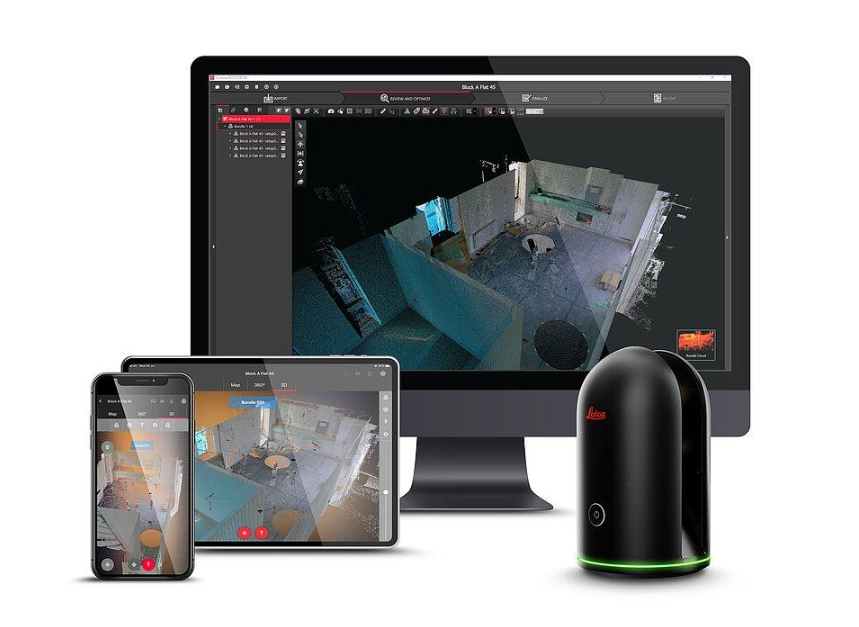
Terrestrial laser scanners, or TLS, operate on the ground. A static scanner can be mounted on a tripod and used to capture buildings, industrial facilities, monuments, or other large structures.
Mobile LiDAR systems can instead be mounted on vehicles or other moving platforms. They are useful for capturing roads, buildings, city environments, and other large areas.
2. Airborne LiDAR
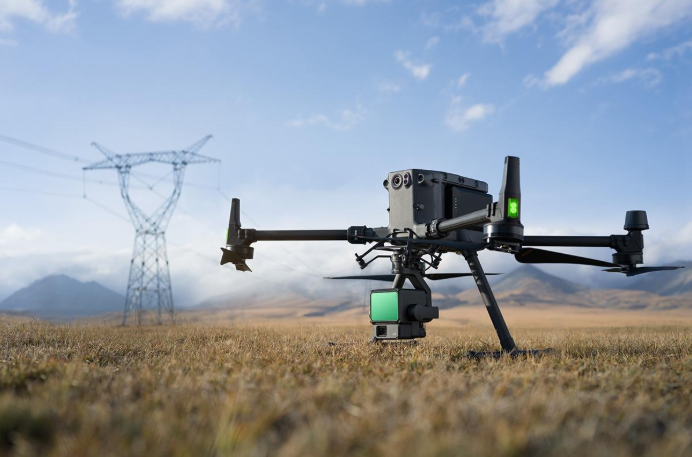
Airborne LiDAR is mounted on aircraft or drones. It sends laser pulses toward the ground and combines the measurements with position and orientation information.
This approach is useful fr surveying large areas, terrain mapping, forestry, construction, and geographic data collection.
3. Mobile and Consumer LiDAR

LiDAR has also become available in smaller devices. For example, Apple's LiDAR Scanner on supported iPhone and iPad devices can provide depth information for augmented-reality applications.
Apple's RoomPlan API can use the iPhone or iPad LiDAR Scanner to create a 3D floor plan containing room dimensions and recognized objects such as furniture.
That does not make a smartphone LiDAR scanner equivalent to a professional terrestrial scanner. Dedicated systems can offer different levels of range, accuracy, tracking, and data density.
How Is LiDAR Used for 3D Printing?
One of the most interesting applications is scan-to-print.
Imagine you have an old plastic housing, replacement part, decorative object, or mechanical component but no original CAD file. Instead of measuring every surface manually, you can scan the object. The LiDAR scanner captures its geometry and creates a point cloud. The point cloud can then be converted into a mesh and cleaned in 3D software.
The general workflow looks like this:
Physical object → LiDAR scan → point cloud → mesh → cleanup → modification → slicing → 3D print
The scan gives you a starting point. You can then adjust dimensions, add holes, remove damaged sections, or redesign parts before printing. This is particularly useful for reverse engineering and replacement parts.
Best LiDAR 3D Printers
A 3D printer that makes extensive use of LiDAR in its printing process is the Creality K1 Max. The AI LiDAR, which can autonomously scan the first layer with a resolution of 1 μm, enables the printer to pause and notify the user in the event that it identifies an issue. A separate artificial intelligence camera is available for the purpose of monitoring problems such as spaghetti failures and external objects, in addition to the 300 × 300 × 300 mm construction volume and high-speed CoreXY motion.
The Bambu Lab X1 Carbon is another noteworthy case in point; it employed its Micro LiDAR system to calibrate flows, check first layers, and monitor nozzle height. The X1 Carbon is no longer considered a new model, but rather an illustrative case of desktop printing with LiDAR technology, after Bambu Lab ceased production of the X1 series in March 2026.
Best LiDAR 3D Scanners
When it comes to large-area capture, the 3DMakerpro Raven is a great choice for scanning real-world objects, rooms, cars, or structures for the purpose of subsequent modeling and 3D printing. It has a field of view of 360° × 40°, a scanning radius of 40-50 m, a point-cloud rate of 150,000 points per second, and an accuracy of 2 cm at 10 m. To keep your position steady while you travel, its SLAM technology integrates data from point clouds, images, IMUs, and GPS. An additional portable choice is the FJD Trion P1. It provides relative precision of up to 2 cm, a range of 40 m at 10% reflectivity or 70 m at 80%, coverage of 360° × 59°, and 200,000 points per second. Compared to regular maker projects, the Artec Ray II's 130 m reach, 2 million points per second capture rate, and 1.9 mm 3D point accuracy at 10 m make it ideal for professional large-scale scanning of airplanes, buildings, industries, and bridges.
Prepare LiDAR Scans for 3D Printing With SelfCAD
A LiDAR scan is only the beginning of the scan-to-print process. You still need to clean, repair, and modify the resulting model before sending it to a slicer.
SelfCAD can be a useful 3D design tool at this stage. Its Magic Fix tool can automatically address common mesh problems such as holes, non-manifold edges, inverted normals, and overlapping geometry.
Its Boolean tools can also combine models, subtract one shape from another, or keep overlapping geometry. This is useful when turning a scanned object into a functional design, such as adding screw holes or cutting away sections. SelfCAD also provides tools such as Geom Clean, Fill Polygons, Dimensions, Simplify Object, and other modeling features that can help prepare scanned geometry for further design work.
Final Thoughts
LiDAR is an advanced scanning tool. The ability to scan an existing object and transform it into a digital model is a major advantage of 3D printing. This can be useful for a variety of purposes, including architectural modeling, huge things, replacement parts, and reverse engineering.
The printer itself is also incorporating LiDAR technology. A few examples of systems that utilize depth sensing for calibration and first-layer inspection include the Creality K1 Max and the Bambu Lab X1.
Using LiDAR does not guarantee a flawless printable model; therefore, keep that in mind. Scan, clean up the mesh, model, slice, and print—that's the best workflow. Using LiDAR in conjunction with these processes can greatly simplify the process of going from a physical item to a personalized 3D print.