
UniFormation S10: Resin 3D Printer Automatically Washes and Dries Parts
Resin 3D printing can produce highly detailed miniatures, figures, dental models, and prototypes. However, printing is only part of the process. After a print finishes, you usually need to wash away uncured resin, dry the model, remove supports, and cure it under UV light.
The UniFormation S10 aims to simplify this workflow by combining resin printing, automatic washing, and heated drying inside one machine. It pairs a 16K monochrome LCD with a built-in 9-liter wash tank and an automated system that moves printed parts between stages. The machine is scheduled to launch on Kickstarter in late October 2026, so its final production performance still needs to be confirmed.
1. Automatic Printing, Washing, and Drying in One Machine
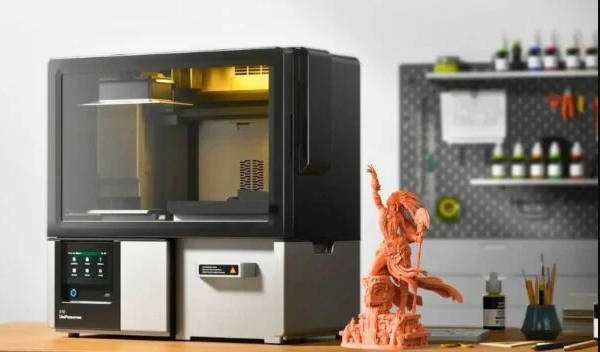
The integrated post-processing system is the UniFormation S10's key feature. The printer eliminates the need to transfer a build plate coated with resin to a separate washing station by automating the washing and drying processes for the manufactured components.
The build platform spins to remove any surplus resin when printing is complete. After that, it passes through the built-in wash tank, where the models undergo a two-cycle cleaning process. As soon as the washing is complete, the platform spins around to face the drying area, where warm air helps evaporate any remaining detergent.
Users may not have to touch wet prints as often or transfer pieces between machines thanks to this enclosed workflow. Despite this, the S10 does not do away with all manual processes; customers still need to remove supports, finalize UV curing, and remove parts, unless they elect to buy the extra curing module.
2. 16K Monochrome LCD for Fine Details
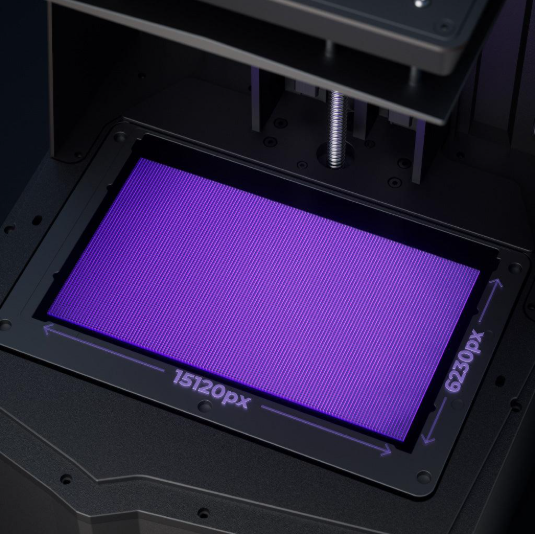
The S10's display is a 10.1-inch 16K monochrome LCD that has a pixel density of 15,360 × 6,540. The dimensions of its pixels, as published, are around 14.52 × 19.25 μm.
The printer is able to capture minute details like face characteristics, miniature armor, inscriptions, textures, and mechanical designs because of the high pixel density. Miniaturists, gamers, modelers, and designers in need of intricate resin components will find the S10 useful due to its capabilities.
The printer cures the photopolymer resin layer by layer using a 405 nm light source. The finished product is sensitive to factors such as exposure settings, resin composition, screen quality, model orientation, and LCD resin printer type. You can't expect a 16K screen to pick up every little detail in every print.
3. 223 × 126 × 200 mm Build Volume
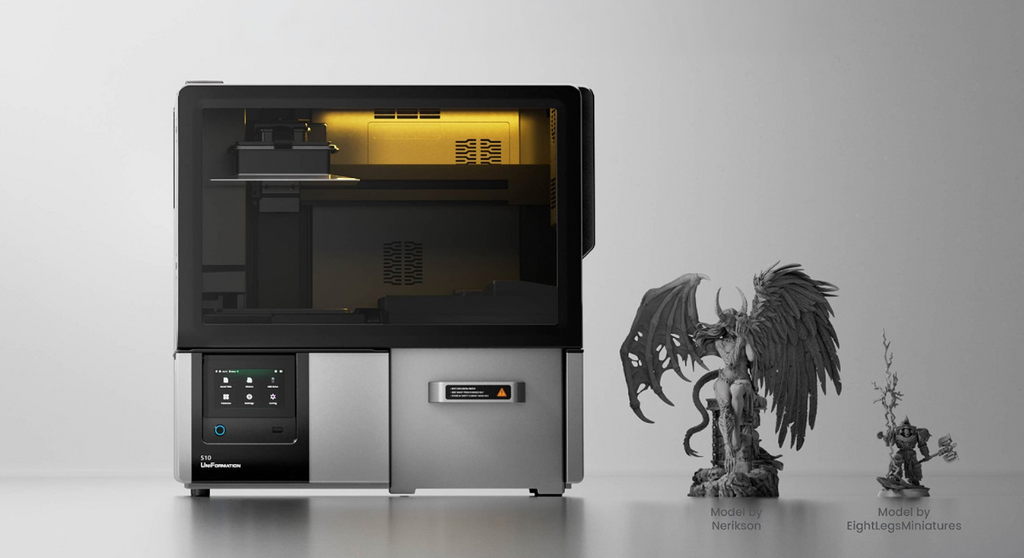
The S10 has a listed build volume of approximately 223 × 126 × 200 mm. This provides room for individual figures, small prototypes, decorative objects, and batches of smaller models.
For miniature production, the ability to print several parts together can be more useful than having an extremely tall build area. A model-making business, for example, could arrange multiple figures or accessories on one build plate.
The S10 measures approximately 620 × 340 × 620 mm, according to published specifications. Its integrated wash system adds to its overall footprint, so it requires more bench space than many conventional desktop resin printers.
Before choosing it, consider both the build volume and the space needed to operate the machine safely, store cleaning fluid, and handle resin waste.
4. Large 9-Liter Integrated Wash Tank
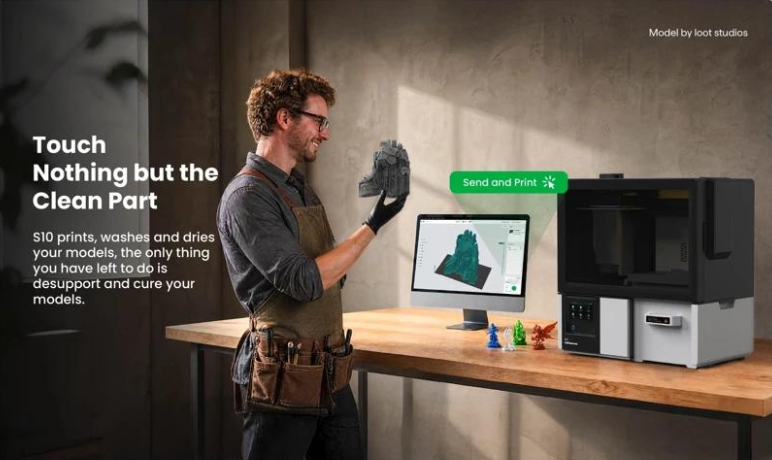
The S10 has a wash tank that can hold up to 9 liters of water. The machine cleans models in the tank, so users don't have to move the build plate to a different station. This is a big part of its automated workflow.
The platform moves from side to side and drops the models into the cleaning liquid. Within two washing cycles, with draining in between, the system clears the printed surfaces of any uncured resin.
The size of the tank supports the idea of cleaning everything at once, but it also brings up some practical issues. Users must keep the cleaning liquid in good shape, handle toxic solvents safely, and make sure the models are ready for the washing process.
It might be harder to clean and drain models with a lot of complex hollow parts, deep holes, or spaces that trap air or liquid. Independent hands-on testing has raised concerns about the consistency of washing and how well early hardware handles liquids. These issues should be looked at more closely when production units are available.
5. Heated Drying at 35–45°C
After washing, the S10 uses warm airflow to dry the printed parts at a listed temperature of 35–45°C. Drying helps remove residual cleaning liquid from the model's exterior before the user handles it or completes further post-processing. Bringing this stage inside the printer reduces the need to move wet parts to a separate drying area.
However, drying is not the same as UV curing. Warm air removes moisture or remaining cleaning liquid; UV exposure completes the resin's post-curing process. The S10's standard workflow still requires this final curing step, although UniFormation offers an optional plug-in curing module.
6. Assisted Release Film and Foreign-Object Detection
In an effort to make printing more reliable, UniFormation has included two extra features. One option is a film system with aided release. According to the manufacturer, their secondary separating layer lessens peeling pressures by over 30%. A model may experience less mechanical stress if the forces used to remove the release film from each successive layer are lower.
The second one is a system that can detect foreign objects using pressure sensors. Its purpose is to identify potential printing obstacles and remove them, hence reducing the likelihood of print failure or damage.
7. C5 Ball Screw and ±0.005 mm Z-Axis Repeatability
The S10 uses a C5-grade ball screw for its Z-axis, with a published repeatability specification of ±0.005 mm. The Z-axis moves the build platform as the printer forms successive layers. Consistent movement helps maintain predictable layer placement, which matters when producing detailed parts or multiple models in the same batch.
This figure describes the machine's stated mechanical repeatability; it should not be confused with guaranteed finished-part accuracy. The final dimensions of a resin print can also be affected by exposure, resin shrinkage, support placement, temperature, and post-curing.
8. Resin Profiles and Slicing Support
UniFormation's product information describes five preconfigured resin profiles: Standard, ABS-Like, Wear-Resistant, Engineering, and Miniature Detail. These presets are intended to simplify setup by providing starting parameters for different printing needs.
The S10 is also associated with common resin-printing software, including CHITUBOX and Lychee Slicer. UniFormation is developing its own UniFormation Studio software ecosystem, with additional workflow features planned.
Preconfigured profiles can save time, but they should still be checked against the exact resin being used. Different brands and formulations may require adjustments to exposure, lift speed, and other parameters.
UniFormation S10 Specifications at a Glance
|
|
|
|
|
|
|
|
|
|
|
|
|
|
|
|
|
|
|
|
|
|
|
|
|
|
|
|
|
|
|
|
|
|
|
|
|
|
|
|
|
|
|
|
|
|
|
|
|
|
|
UniFormation S10 Competitors: What Are the Alternatives?
1. Anycubic Photon Mono M7 Pro with Wash & Cure 3 Plus
This combination is worth considering for users who want a high-resolution resin printer and a separate post-processing station. The separate setup gives users flexibility when cleaning and curing parts, although it requires more handling and additional workspace. Check Anycubic's current printer and station specifications before comparing total cost.
Price: €676
2. Elegoo Saturn 4 Ultra 16K with Mercury Series
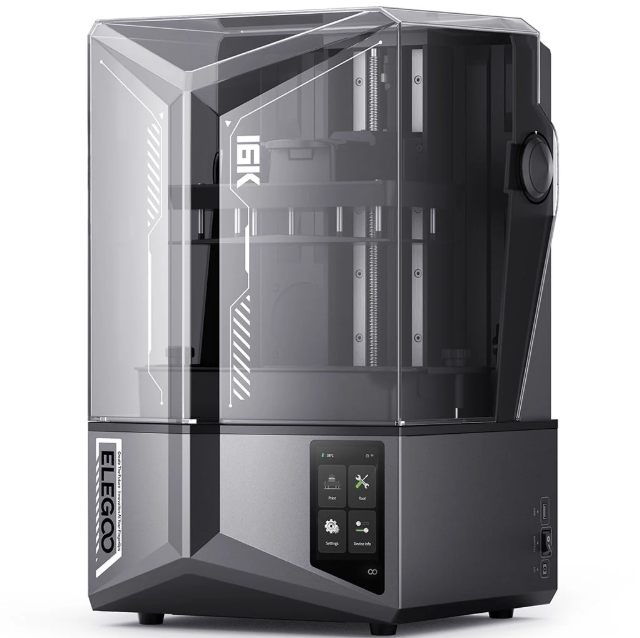
Elegoo's Saturn 4 Ultra 16K is an alternative for users focused on detailed resin printing. Pairing it with a Mercury wash-and-cure station provides a conventional post-processing workflow. Unlike the S10, the printer and station remain separate, but users can choose or upgrade each component independently.
Price: $499
3. UniFormation GK3 Ultra with a separate wash-and-cure station
The GK3 Ultra is another option from UniFormation, featuring a published 16K screen and a larger 300 × 160 × 300 mm build volume. It may suit users who need to print larger models and
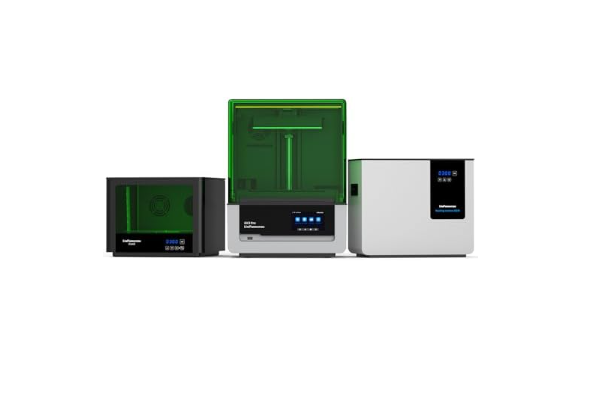
prefer a conventional workflow with separate cleaning equipment. Its larger build area is particularly relevant for statues, props, and batches of parts.
Price: $1,195
4. Creality resin printers with the UW Series wash-and-cure stations
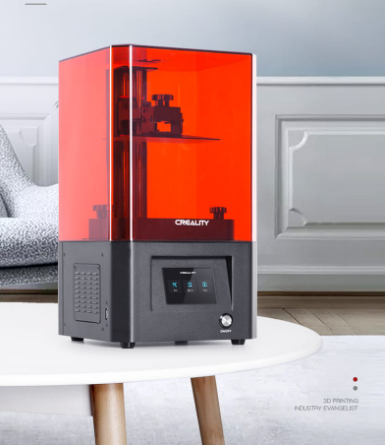
Creality's resin printers and UW-series stations provide another conventional alternative. This approach lets users select a printer and a compatible post-processing station separately. It can be practical for makers who value flexibility over an integrated automated system.
Price: $249
Who Should Consider the UniFormation S10?
Users who want intricate resin prints but don't want to handle each post-processing step individually are the target audience for the S10. Its built-in washing and drying features could be particularly helpful for miniature studios, tiny prototyping enterprises, dental-model operations, and tabletop game developers.
Users who already have a dependable resin printer and another station for washing and curing may find it less appealing. Not every model shape or manufacturing workflow will be a good fit for the S10's automated cleaning procedure, and it requires a lot of bench space.
Independent evaluations of production-ready machines will be available soon, so purchasers who require proven reliability for regular commercial work should hold off until then. The product is still nearing its crowdfunding debut.