
Makera Z1: Enclosed Desktop CNC Milling Machine for Beginners
CNC milling lets you cut, engrave, and shape solid materials using computer-controlled tools. But for beginners, choosing a machine can be difficult. Open-frame routers often need extra work to manage dust, set up tools, and configure machining jobs.
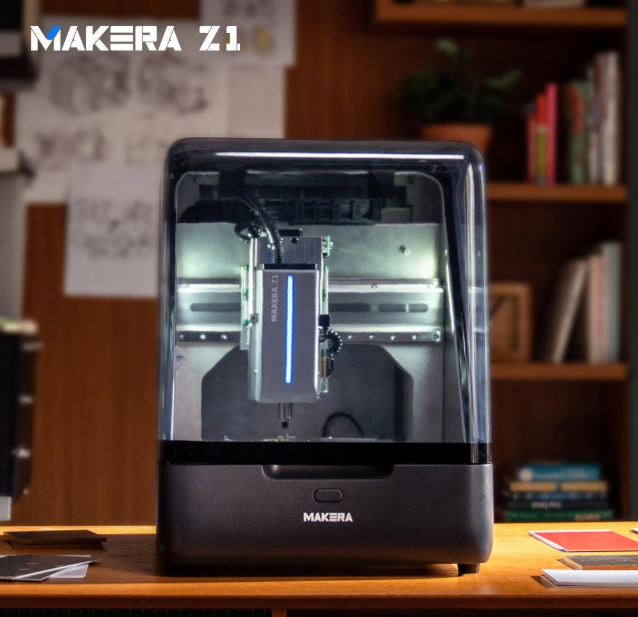
The Makera Z1 aims to make desktop CNC machining easier with an enclosed design, quick-change tooling, automatic probing, and beginner-oriented software. It has a 200 × 200 × 100 mm working area and a 150 W spindle, making it suitable for small parts, engravings, prototypes, and light-duty metal machining.
1. Fully Enclosed Design for a Cleaner Workspace
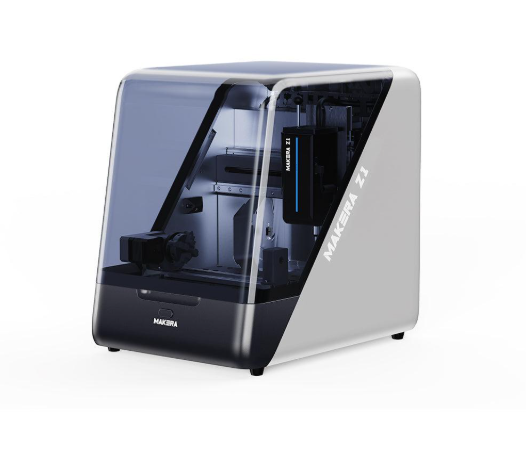
The Makera Z1's small housing aids in collecting machining debris and chips. Compared to an exposed CNC router, this one is more suitable for a classroom, home workshop, or smaller design studio.
Additionally, the enclosed design aids in dust containment and prevents unauthorized individuals from getting too close to the spinning spindle while it's in use. But a cage can't keep out all dangers. Materials like carbon-fiber composites nevertheless necessitate proper dust extraction, appropriate eye protection when needed, and safe handling protocols.
According to the published specifications, the machine weighs around 17 kg and has a footprint of about 350 × 470 × 450 mm. Even though you'll need to make some additional room for cables, workpieces, and accessories, this makes it reasonably small.
2. 200 × 200 × 100 mm Working Area
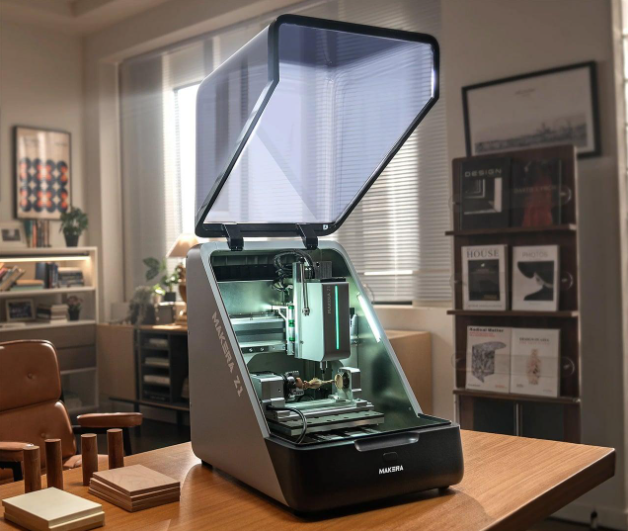
The Z1 provides a working area of 200 × 200 × 100 mm. This is suitable for small components and detailed projects, but it is not intended for furniture-sized panels or large signs.
You can use the machine for projects such as:
- Custom brackets, housings, and small mechanical parts
- Engraved wooden plaques and decorative pieces
- PCB prototypes and small circuit-board work
- Jewelry components and small metal parts
- Plastic prototypes and product-design samples
The relatively small work area is an important buying consideration. If you regularly machine larger panels or need to produce bigger parts in one operation, an open-frame CNC router with a larger bed may be a better fit.
3. 150 W Spindle for Wood, Plastic, Aluminum, and Brass
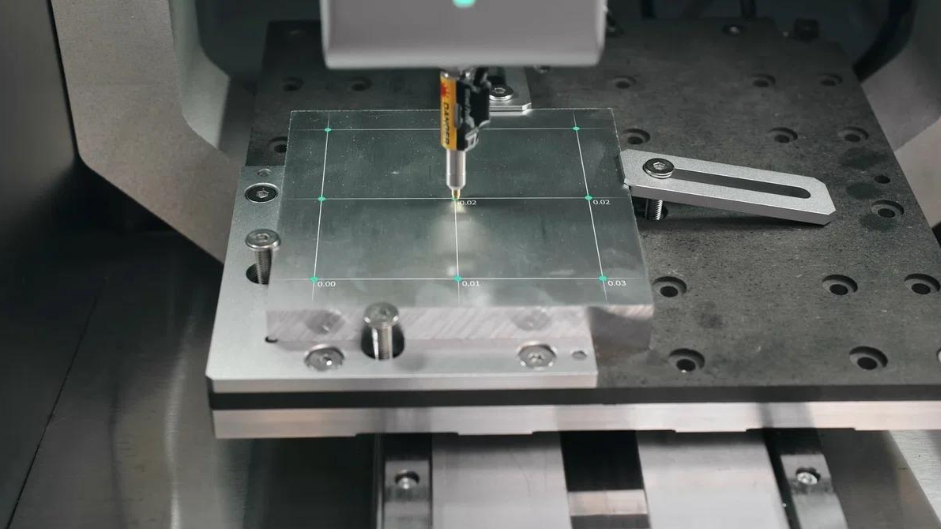
The Z1 uses a 150 W spindle with a maximum speed of 13,000 RPM. It is designed for desktop milling and engraving rather than heavy industrial material removal. The supported material range includes:
- Wood: hardwood, softwood, MDF, and plywood.
- Plastics: acrylic, ABS, PVC, polycarbonate, and HDPE.
- Non-ferrous metals: aluminum, brass, and copper.
- Composites: selected carbon-fiber and FR4 materials, with appropriate tooling and dust controls.
Z1 is capable of milling small components made of aluminum and brass; nevertheless, the cutter, feed rate, spindle speed, and depth of cut all have a role in the final product. Errors in positioning or overloading the machine might occur with heavy cuts. Avoid using steel and titanium for extended periods of time when machining this model.
4. Quick-Change Tool System
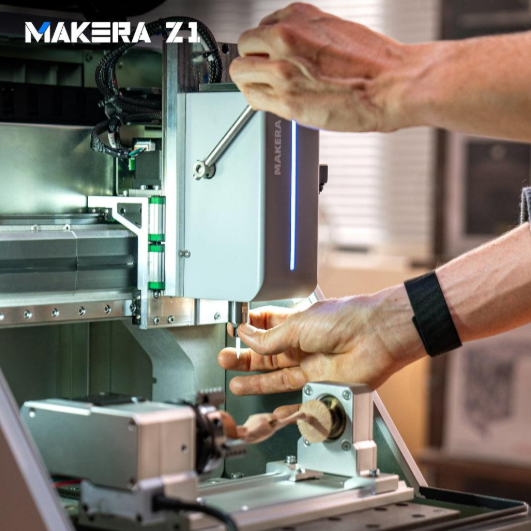
You can easily switch cutters for roughing, finishing, and engraving on the Z1 thanks to its quick-change tool system. It comes with a standard collet that fits 1/8-inch tools and other suitable size options. It does not, however, change tools automatically; users will still need to complete the proper setup procedures and change tools by hand.
5. Automatic Probing and Surface Leveling
Before machining can begin, the Z1 can automatically probe the workpiece's location and level its surface to determine any variations. Because of the potential impact of surface irregularities on cutting depth during engraving and shallow milling, this aids in improving setup uniformity. Still, before beginning, users should secure the workpiece, verify the probe connection, and inspect the toolpath in preview.
6. Compact Motion System and Stated Precision
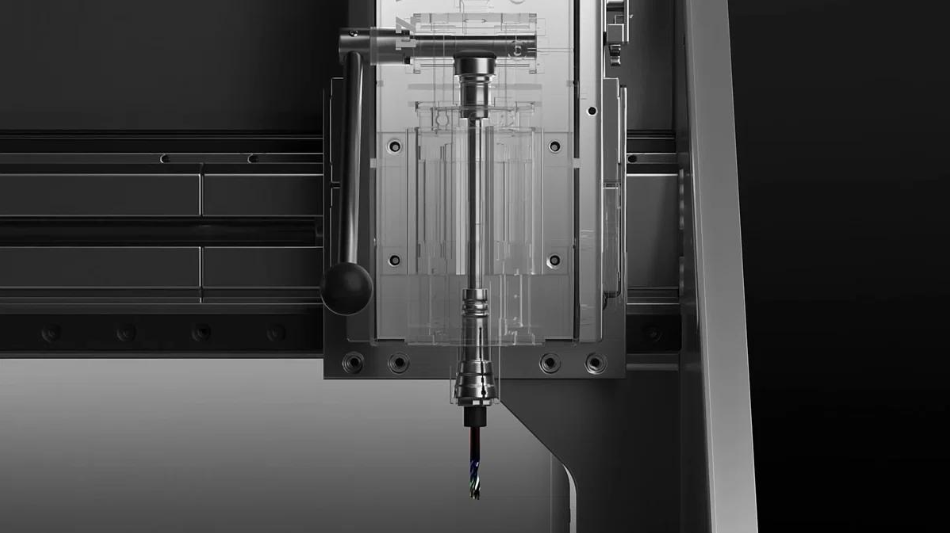
A reported spindle runout of about 0.01 mm and motion resolution of 0.02 mm are features of the conventional Z1 that utilize linear rails and lead screws. While these requirements do facilitate consistent cutting and controlled movement, they do not ensure precision in the final product. Although the Z1 Pro has a closed-loop system, the regular model still relies on open-loop stepper motors; thus, it's crucial to set up the machine correctly and use conservative cutting parameters.
7. Built-In Dust and Chip Management
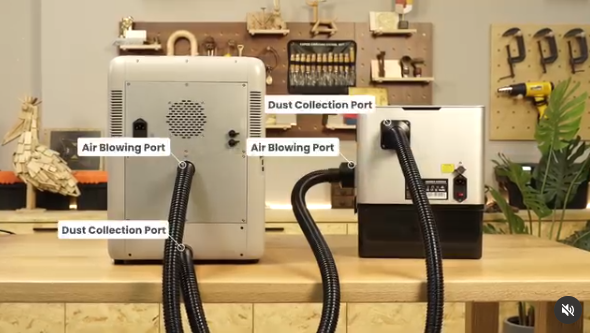
To aid in cooling the tool and spindle, the Z1 has an integrated AeroDust system that removes chips and debris from the cutting area. It has the option to attach to an external dust collector for maximum extraction. Enclosures alone aren't adequate to keep small particles of wood, plastic, and composites from posing health problems; proper dust extraction and material-specific safety instructions are also required.
8. Built-In Camera and Remote Monitoring
The Z1 has a built-in camera for monitoring machining jobs and recording time-lapse videos. This helps users check progress and document projects without standing beside the machine throughout the entire process. However, camera monitoring does not replace supervision, as loose workpieces, broken cutters, or incorrect toolpaths can still damage the machine or material.
9. Makera Studio and Compatible CAD/CAM Software
The Z1 is compatible with third-party CAD/CAM programs like Fusion 360, in addition to Makera Studio for computer-aided manufacturing (CAM) and machine-control workflows. The user can create drawings, develop toolpaths, and tell the machine to mill using these tools. Even for novices, it's a good idea to preview the toolpath, check the feed rate, spindle speed, cutter diameter, depth per pass, and workholding, and then run the machining process.
10. Optional Fourth Axis and Laser Module
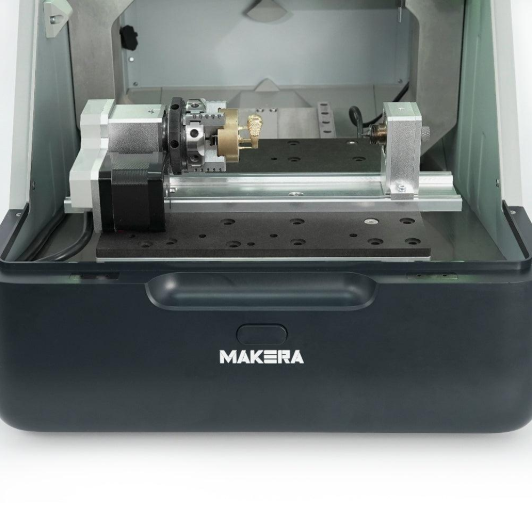
To further customize your machine, you may add a compatible laser module for engraving appropriate materials like wood, leather, and cardboard, as well as a fourth-axis rotary module for milling or engraving specific cylindrical objects from various angles. Although these improvements enhance the Z1's capabilities, they do increase its cost and necessitate the installation of specific software and safety measures. Be sure to research the product's contents and accessory compatibility before making a purchase.
Makera Z1 Specifications at a Glance
|
|
|
|
|
|
|
|
|
|
|
|
|
|
|
|
|
|
|
|
|
|
|
|
|
|
|
|
|
|
|
|
|
|
|
|
|
|
|
|
|
|
|
|
|
|
|
|
|
|
|
Who Should Buy the Makera Z1?
The Z1 is a good fit for beginners who want an enclosed machine for small-scale CNC projects without assembling a large open-frame router. Its quick-change tooling, probing features, camera, and software ecosystem help make setup more approachable.
It is especially worth considering for hobbyists, product designers, makers, educators, and small businesses producing prototypes or custom parts. However, the Z1's 200 mm work area and 150 W spindle limit its suitability for large jobs and heavy metal cutting.
If your priority is making large signs, furniture components, or repeated heavy cuts, a more powerful machine with a larger work area would be a better choice.
Makera Z1 Competitors: What Are the Alternatives?
1. Carbide 3D Nomad 3
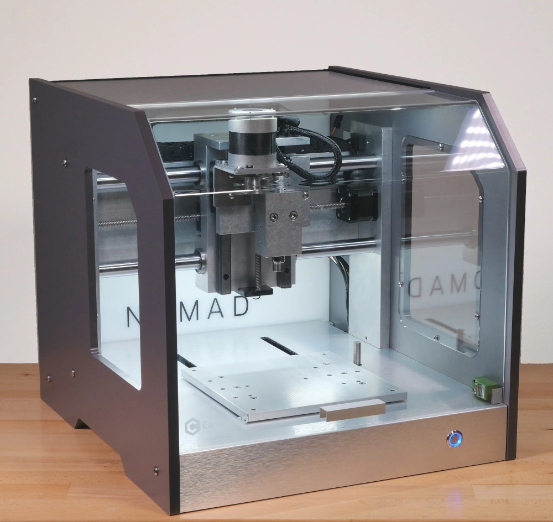
Carbide 3D Nomad 3 is a compact enclosed CNC machine for detailed work on materials such as wood, plastics, wax, and non-ferrous metals. Its small footprint and enclosed design make it a direct alternative for users who prioritize precision and a desktop-friendly setup.
Compared with the Makera Z1, the Nomad 3 offers a similar small-machine approach, but prospective buyers should compare current availability, workholding, software, and accessory support before choosing between them.
Price: $ 2,800
2. Makera Carvera Air
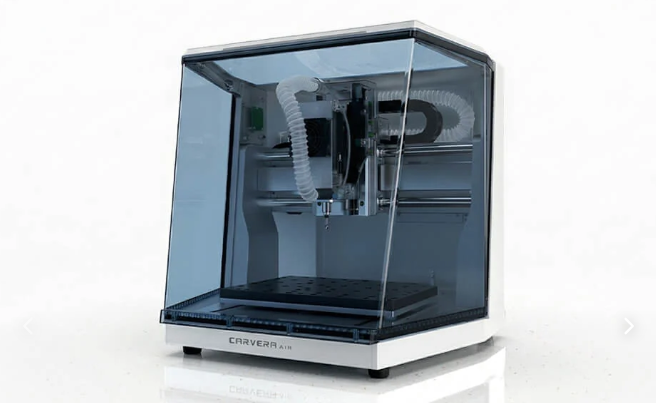
Makera Carvera Air is a step up within Makera's own range. Its published work area is 300 × 200 × 130 mm, and it uses a 200 W spindle with a maximum speed of 13,000 RPM.
That larger work area makes it attractive for users who need to machine bigger components. The Carvera Air also supports a fourth-axis accessory and a broader workflow for users who may grow beyond basic hobby projects.
Price: $2,299
3. Genmitsu 4040-PRO
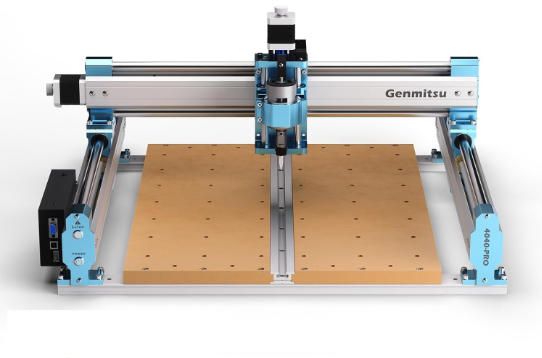
A less expensive option for makers requiring a larger cutting area is the Genmitsu 4040-PRO. In contrast to the Z1's completely enclosed construction, it employs an open-frame design.
Signs, panels, and other projects that wouldn't fit in the Z1 would benefit from its bigger work area. Nevertheless, purchasers might have to exert extra effort in terms of dust control, workholding, assembly, and operating safely. The Genmitsu is more concerned with affordability and workspace, whereas the Z1 is more concerned with an enclosed, integrated desktop workflow; the two machines are hence distinct.
Price: $609
4. Makera Carvera
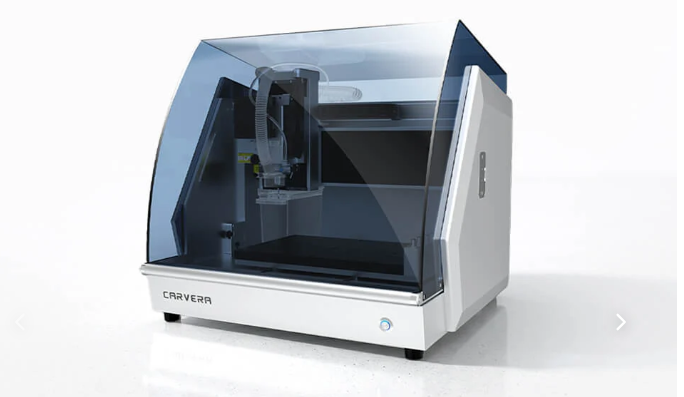
An enclosed, fully automated desktop CNC milling machine is the Makera Carvera. Users who desire a higher level of automation have another alternative. Makera features an automatic tool changer, a spindle with 200 W power, and a work surface measuring 360 × 240 × 140 mm.
In contrast to the Z1's rapid-change arrangement, the automatic tool changer on the Carvera can minimize the need to manually change tools while working on suitable tasks. The increased capacity comes at a higher cost, but it is a stronger alternative for customers who frequently switch between tools or require a wider work area.
Price: $5,299
Final Verdict
A combination of an enclosed frame, fast-change tools, automated probing, camera monitoring, and software designed for beginners makes desktop CNC milling easier to use on the Makera Z1. For light-duty tasks, its 150 W spindle is adequate. It can handle wood, plastics, aluminum, and brass.
The working surface is quite limited; it is not strong at removing heavy metals, and the base model's open-loop motors demand sensible machining parameters. These restrictions are equally critical.
Assuming their projects are suitable for the Z1's workspace and capabilities, creators looking to progress beyond 3D printing and begin cutting actual materials can find a practical entry point into CNC machining.