
Creality Sermoon P1S Laser 3D Scanner: All You Need to Know
The Creality Sermoon P1S is a professional handheld 3D scanner designed for detailed 3D scanning, reverse engineering, automotive work, product design, and 3D printing. It combines blue laser scanning and infrared structured light in one device. It can scan objects from as small as 5 × 5 × 5 mm to objects as large as 4 × 4 × 4 meters.
One of its biggest features is that it can process scans directly on the device. You do not always need a computer beside you while scanning.
What Is the Creality Sermoon P1S?
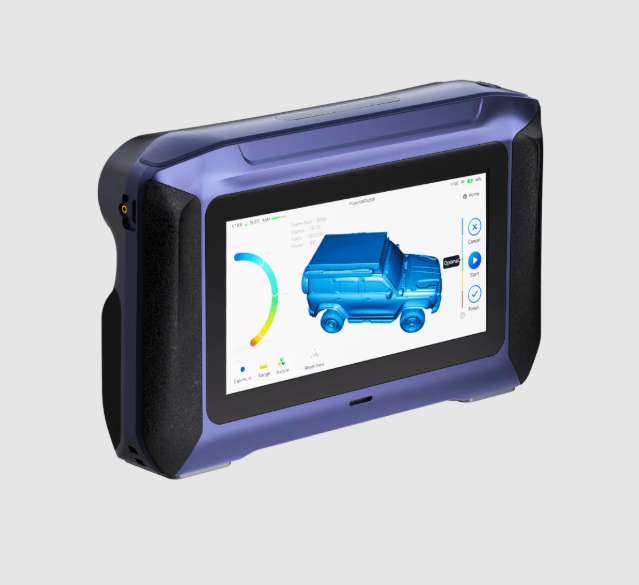
The Sermoon P1S is a handheld 3D scanner that uses two different scanning technologies. Its blue laser system is designed for detailed scanning and offers accuracy of up to 0.02 mm. Its infrared structured-light system reaches up to 0.075 mm accuracy.
The scanner has a 6-inch HD touchscreen, onboard processing, wireless connectivity, and removable batteries. It weighs about 807 grams with the battery, making it easier to carry around than many larger professional scanning setups.
Blue Laser and Infrared Scanning
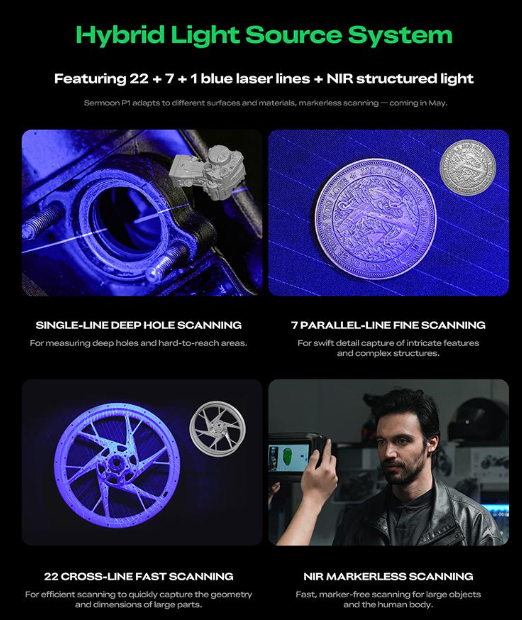
The two scanning modes are designed for different jobs. The blue laser system is better suited to detailed scanning. It uses 34 cross laser lines, seven parallel laser lines, and a single laser line. This setup helps capture detailed surface information.
The infrared structured-light system provides a larger scanning area. It is useful for bigger objects and situations where a wider field of view is more important than maximum laser detail. Having both systems means you can switch between scanning modes instead of relying on one method for every object.
0.02 mm Accuracy
Accuracy is one of the main specifications of the P1S. Creality lists up to 0.02 mm accuracy in blue laser mode. Its stated volumetric accuracy is 0.02 mm + 0.08 mm/m. In infrared mode, the scanner reaches up to 0.075 mm accuracy, with volumetric accuracy of 0.075 mm + 0.1 mm/m.
These are manufacturer specifications under controlled conditions. Real-world accuracy can change depending on the object's size, surface, lighting, tracking, and scanning technique.
For precise engineering work, the scanner should therefore be tested against the actual application rather than relying only on the advertised maximum accuracy.
Scanning Speed
The Sermoon P1S can capture data at a high frame rate. In blue laser mode, Creality lists up to 60 FPS when operating independently. When connected to a computer, the speed can reach 100 FPS. Infrared mode reaches up to 20 FPS standalone and 30 FPS when connected to a computer. Higher frame rates can make scanning smoother, especially when moving around large objects.
What Size Objects Can It Scan?
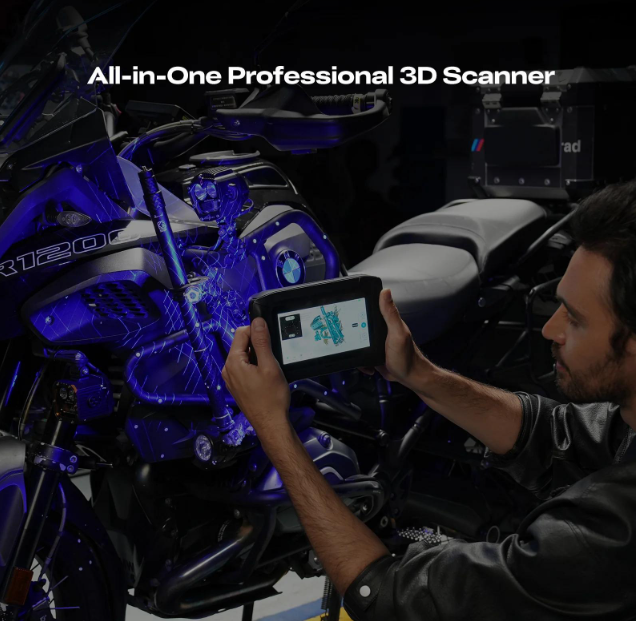
The P1S covers a wide range of object sizes. Creality lists a scanning range from 5 × 5 × 5 mm to 4,000 × 4,000 × 4,000 mm. That means it can be used for small mechanical parts as well as much larger objects such as vehicle components, furniture, sculptures, and industrial equipment. The best scanning mode depends on the size and surface of the object.
Scanning Dark and Difficult Surfaces
Optical 3D scanners may struggle with things that are dark or shiny. When scanning low-reflectance or darker surfaces, the P1S makes use of blue laser scanning to boost performance. But you might still need to prep things that are really black, bright, or see-through.
Scanning spray is something that Creality suggests for really tough surfaces. Spray may also be necessary to create a surface that the scanner can accurately follow for items that are clear or have a semi-transparent quality. Keep this in mind if you're planning to scan anything that looks like glass, polished metal, black plastic, or automobile parts.
Marker-Free Scanning
The P1S supports marker-free scanning when using a wired computer connection. This means you can scan certain objects without placing tracking markers across their surface. However, marker-free scanning is not available in standalone mode.
When markers are required, they should be distributed across the object's surface. This gives the scanner more reference points and can improve tracking as you move around the object.
Outdoor Scanning
The P1S is also designed to work outdoors. Creality states that blue laser scanning can operate under lighting conditions up to 110,000 lux. Infrared scanning can reach up to 80,000 lux when the supplied infrared filter is installed.
This can be useful for automotive scanning, construction work, outdoor sculptures, and other on-site applications. However, strong sunlight can still affect optical scanning. Good positioning and scanning technique remain important.
Standalone Scanning
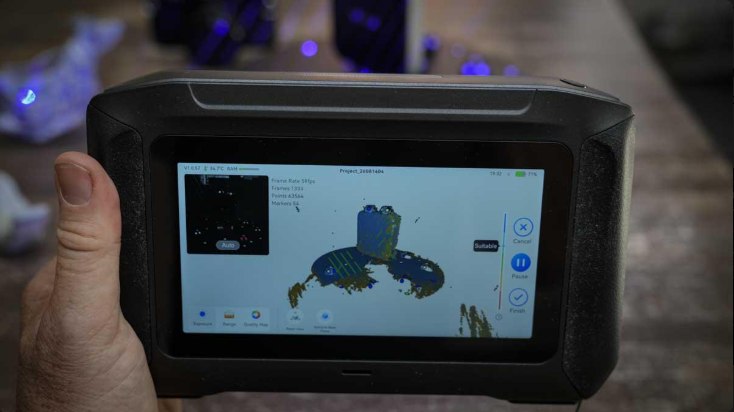
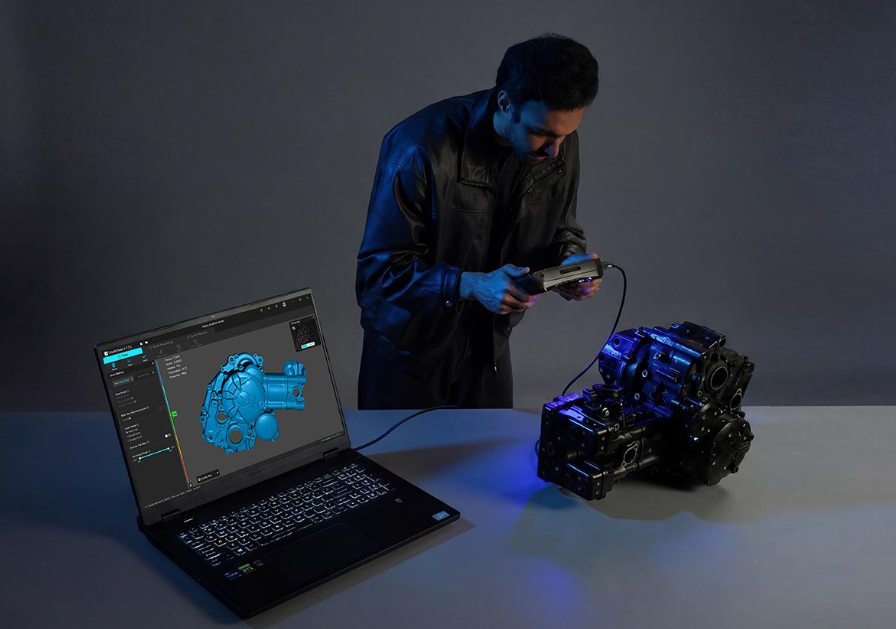
Among the many appealing aspects of the P1S is its independence from a computer. Scanner gear has its own CPU and graphics card. Data fusion, meshing, calibration, color mapping, and data acquisition are only some of the activities that it can accomplish directly on the device.
You can manage the scanning process and see your progress on the 6-inch touchscreen. As a result, the scanner is practical for use in the field. Installing a full-fledged computer workstation isn't necessary when you bring it to a garage, workshop, or construction site.
Wi-Fi 7 and USB Connectivity
The P1S can connect to a computer in several ways. It supports Wi-Fi 7 for wireless operation. Creality recommends keeping the scanner within about 3 meters of the computer for stable wireless performance.
You can also use a wired USB connection. Wired operation is particularly useful when you want the highest scanning speed or need marker-free blue laser scanning.
Battery and Portability
The P1S uses a 3,300 mAh battery and comes with an additional battery. Creality rates a battery for up to two hours of use.
The scanner supports USB-C charging and can be used while charging. Creality recommends using a 30 W or higher PD 3.0 charger.
Its compact body measures approximately 209 × 129 × 53 mm, while the scanner weighs about 807 grams with the battery installed. This makes it practical for mobile scanning.
CrealityScan Software
The P1S is compatible with CrealityScan, a computer-based scanning solution. The software comes with tools that can scan, align, process point clouds, mesh, map colors, and edit.
Files saved in popular 3D formats such as STL, OBJ, PLY, 3MF, and ASC are all welcome. The STL export is great for 3D printing since most slicing systems can simply import STL files.
Can You Use P1S Scans for 3D Printing?
Yes. A common workflow is:
Physical object → 3D scan → point cloud → mesh → repair → design changes → STL → slicer → 3D print
For example, you could scan a broken plastic component and create a digital copy. The scan may still need editing before printing. You may need to fill holes, remove unwanted surfaces, repair the mesh, adjust dimensions, or redesign certain areas. For engineering parts, you may also want to rebuild important dimensions in CAD software instead of printing the raw scan.
Reverse Engineering Applications
A P1S scanner excels at reverse engineering, among other uses. In cases where the initial CAD file is not accessible, it is possible to scan a preexisting component. You can use the final model as a starting point for making a new one.
Parts for automobiles, machines, housings, brackets, replacement covers, and parts made to order can all benefit from this. Additionally, designers can use the scanner to take a picture of an object's shape before making any changes to it.
Computer Requirements
Standalone scanning does not require a computer. PC-connected scanning does. For Windows, Creality recommends Windows 10/11 64-bit, a 13th-generation Intel Core i7 or newer processor, an NVIDIA RTX 4060 with 8 GB VRAM or better, and 32 GB RAM.
The minimum Windows configuration includes a 7th-generation Intel Core i7 processor, 6 GB of graphics memory, and 16 GB RAM. For macOS, Creality recommends an Apple M3 or newer processor and 32 GB RAM. If you plan to process large scans regularly, a more powerful computer can provide a smoother workflow.
Price and Positioning
The price varies by region and promotional period. Creality's Australian store has listed the Sermoon P1S at AU$3,499, while other markets have listed prices around US2,099–2,299.
Because regional pricing changes, it is better to check Creality's official store for the current price in your market. The P1S sits above entry-level consumer scanners but below some high-end industrial scanning systems.
Best 3D Modeling Software
SelfCAD can be a useful next step after scanning an object with the Sermoon P1S. You can import scan files and use tools such as Magic Fix and Geom Clean to repair and clean up mesh problems. Boolean operations can help add holes, remove sections, or combine the scan with new geometry, while Simplify Object can reduce unnecessary mesh detail. Once the model is ready, SelfCAD's built-in 3D printing tools can help prepare it for slicing and printing.
Final Thoughts
The Creality Sermoon P1S brings several professional scanning features into a portable handheld device. Its main specifications include up to 0.02 mm blue-laser accuracy, 0.075 mm infrared accuracy, up to 100 FPS PC-connected scanning, 34 cross laser lines, Wi-Fi 7, a 6-inch touchscreen, dual 3,300 mAh batteries, and support for objects from 5 mm to 4 meters.