
Build a Futuristic Hover Vehicle Using SelfCAD AI
Designing a future hover vehicle often entails creating the main body, aerodynamic panels, propulsion units, and landing or hovering components independently before assembling them into a full form. SelfCAD AI Modeling allows you to explain your futuristic hover vehicle concept in natural language and create an early 3D structure based on your design specifications.
SelfCAD AI Modeling enables the construction of a wide range of 3D conceptions, from functional assembly to imaginative science fiction designs. After the hover vehicle has been generated, you can analyze its design, alter the body proportions, refine the placement of propulsion units, and tweak details using SelfCAD's standard modeling tools. These changes enable you to create a unique future model with the required appearance, proportions, and component layout.
It should be noted that SelfCAD's AI features are experimental and will evolve over time. Users are urged to explore the existing functionality and provide feedback to help with future developments.
Steps to Design a Futuristic Hover Vehicle Using SelfCAD AI Modeling
In this guide, we will show you how to build a futuristic hover vehicle with a streamlined body, advanced propulsion components, aerodynamic panels, and a unique science-fiction appearance. The approach exemplifies an essential AI modeling principle: the more precisely you define the vehicle's dimensions, form, propulsion components, body structure, location, and design elements, the more accurately the created 3D model will resemble your original concept.
Step 1: Open SelfCAD Editor
Begin by opening the SelfCAD Editor and creating a new project.
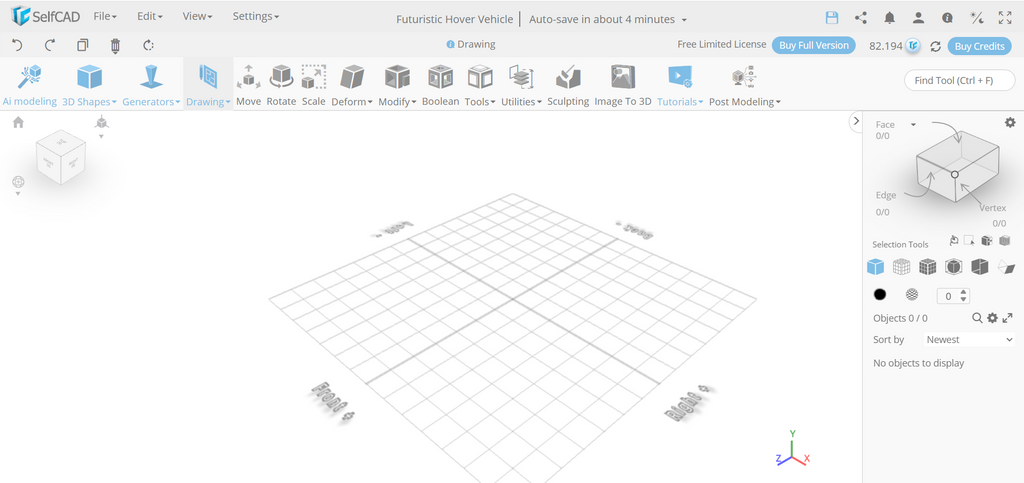
For this project, you will utilize the AI Modeling function to create the initial geometry of the future hover vehicle. The AI-generated model will serve as a foundation for the main body, propulsion units, and exterior design components. After creation, you can utilize SelfCAD's standard modeling tools to tweak the vehicle's proportions, fine-tune individual components, and add features to obtain the desired futuristic appearance.
Step 2: Open AI Modeling
Inside the SelfCAD Editor, select the AI Modeling feature.
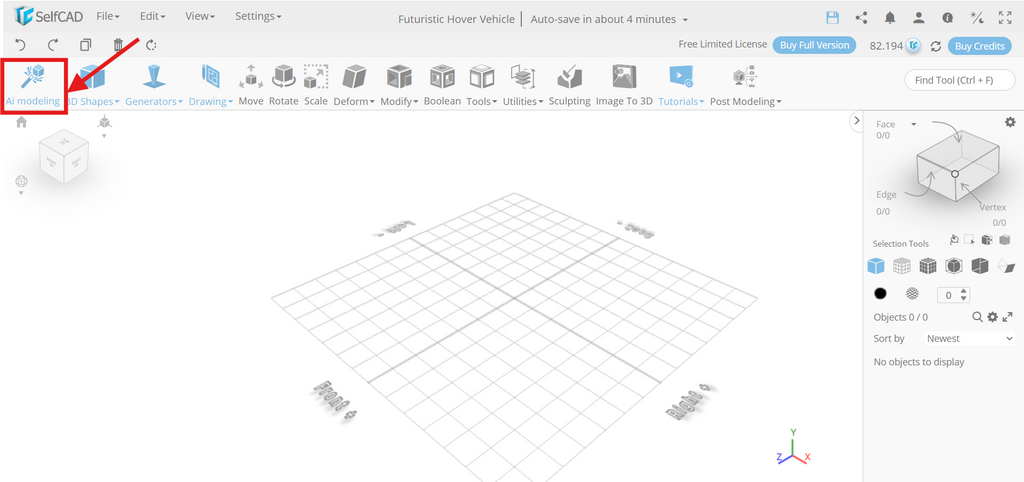
Use the text prompt form to describe the futuristic hover vehicle you wish to design. SelfCAD offers several AI modeling options to accommodate various types of 3D designs.
The purpose of this project is to create a science-fiction vehicle with a clearly defined structure, rather than an organic sculpture. Create a detailed prompt outlining the vehicle's primary body, overall dimensions, hovering propulsion units, aerodynamic panels, cockpit, and outside characteristics. Clearly define how these pieces should be shaped and positioned so that the AI can create an initial model that closely resembles your desired futuristic design.
Step 3: Select the appropriate creation mode.
To design the futuristic hover vehicle, select Functional Assembly.
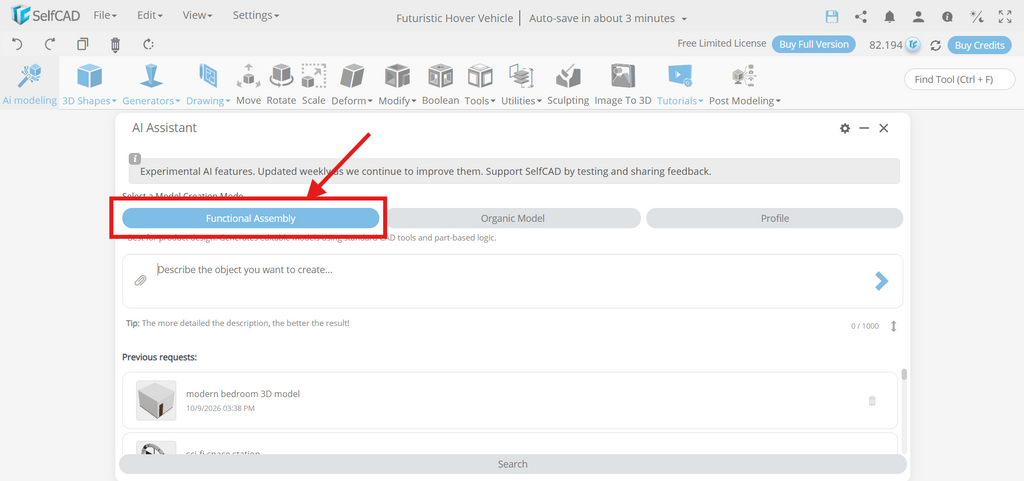
A hover vehicle can be composed of several unique components, such as the main body, cockpit, propulsion units, side panels, and landing supports. Designs with multiple components coordinated to create a complete structure are suitable for functional assembly. This method allows you to describe the purpose, shape, and position of each component while keeping their relationships within the larger model. It serves as a suitable beginning point for creating a future vehicle with balanced proportions, coordinated components, and a consistent science-fiction appearance.
Step 4: Prepare a Reference Image
Adding a reference image of a futuristic hover vehicle is optional but can help communicate your design ideas more clearly. If available, choose an image showing the vehicle’s overall shape, streamlined body, cockpit, propulsion units, and exterior details. The image can provide additional visual guidance, while a clear and detailed text prompt remains essential for describing your intended design.
Step 5: Write the AI Modeling Prompt
Describe the futuristic hover vehicle you intend to develop with SelfCAD AI Modeling. Give a thorough prompt that describes the vehicle's function, overall proportions, streamlined body shape, cockpit design, propulsion units, side panels, and other science-fiction features. Specify the position, dimensions, and arrangement of each component to assist the AI in creating a coherent 3D structure. You can also add design elements like smooth outlines, modern lighting accents, and landing supports to obtain the desired look. A concise and specific description helps to create an initial model that is easier to analyze, customize, and refine with SelfCAD's modeling tools.
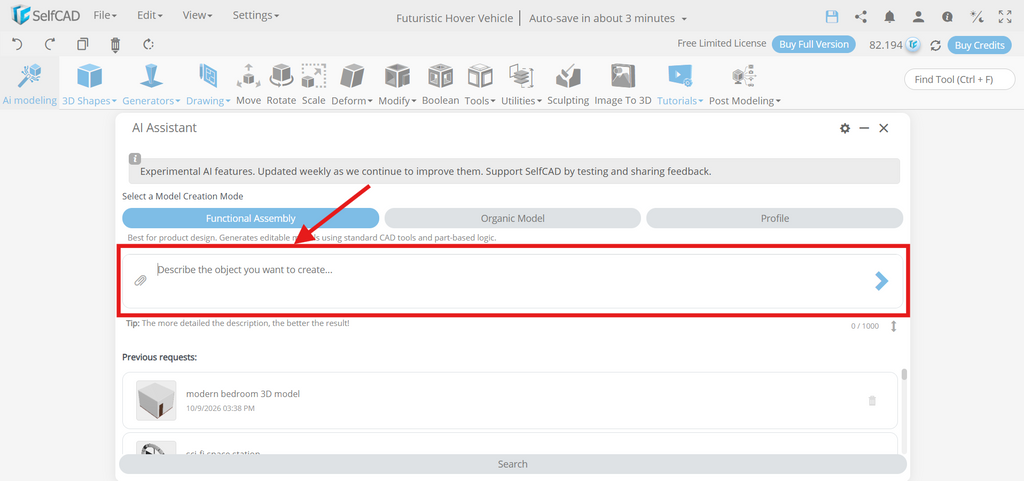
You can use the following prompt, as an example:
Prompt - Design a futuristic hover vehicle with a sleek, aerodynamic body and a streamlined science-fiction appearance. Include a pointed front section, an enclosed cockpit with a transparent canopy, and four anti-gravity propulsion units positioned beneath the vehicle. Add side stabilizers, powerful rear thrusters, futuristic headlights, and detailed body panels. Incorporate glowing-style engine rings, smooth curves, geometric accents, and metallic surface details to create a high-tech look. Maintain symmetrical proportions and ensure that all components fit together naturally. Design the vehicle with a low-profile body, a wide base, and clearly defined propulsion systems. Include separate components for the main body, cockpit, thrusters, and stabilizers to make the model easier to modify. Use clean geometry, smooth surfaces, and appropriate wall thicknesses for potential 3D printing. The final design should look innovative, visually appealing, and suitable for a futuristic vehicle concept or science-fiction scene.
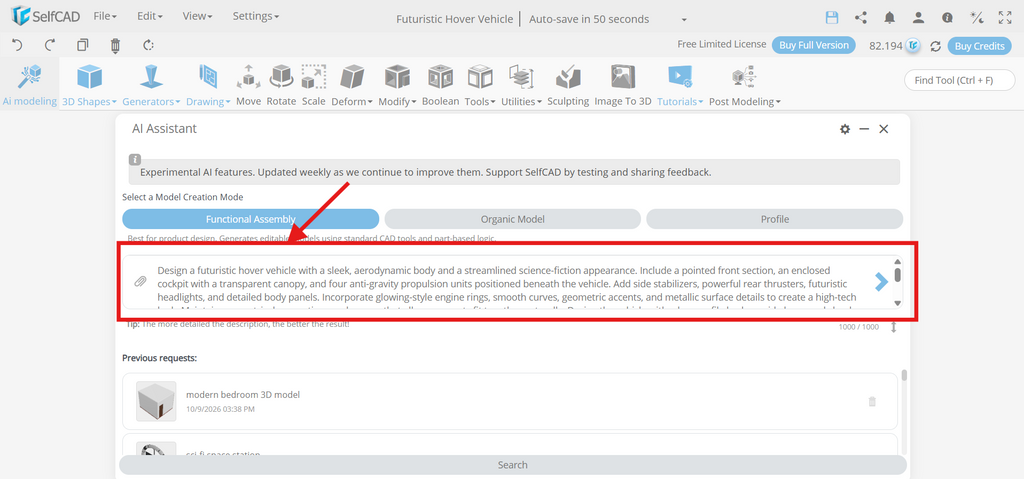
This type of organized description helps in communicating the design objective more effectively.
Step 6: Generate the Model
After entering your prompt and optionally attaching a reference image, click Generate to begin creating the futuristic hover vehicle.
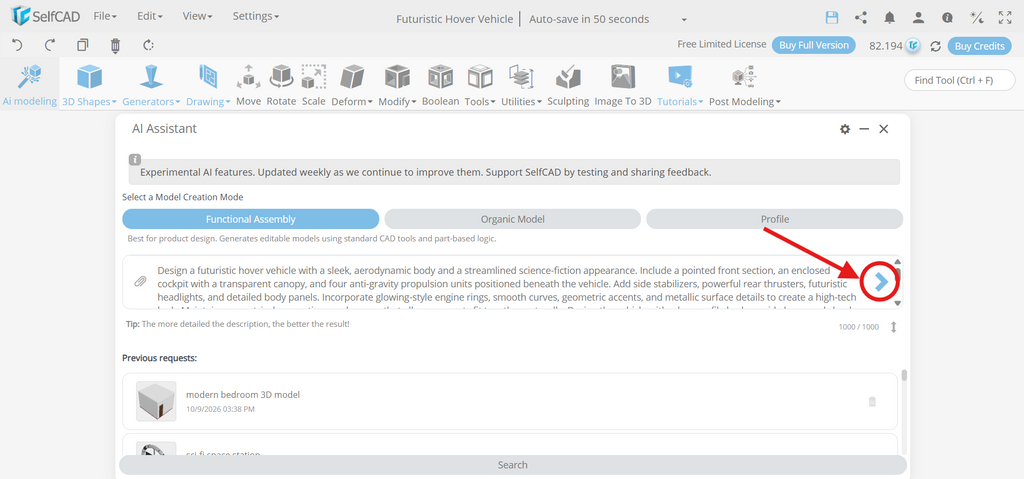
SelfCAD AI Modeling will interpret your instructions and generate an initial 3D model based on the specified body shape, cockpit, propulsion units, and exterior features.
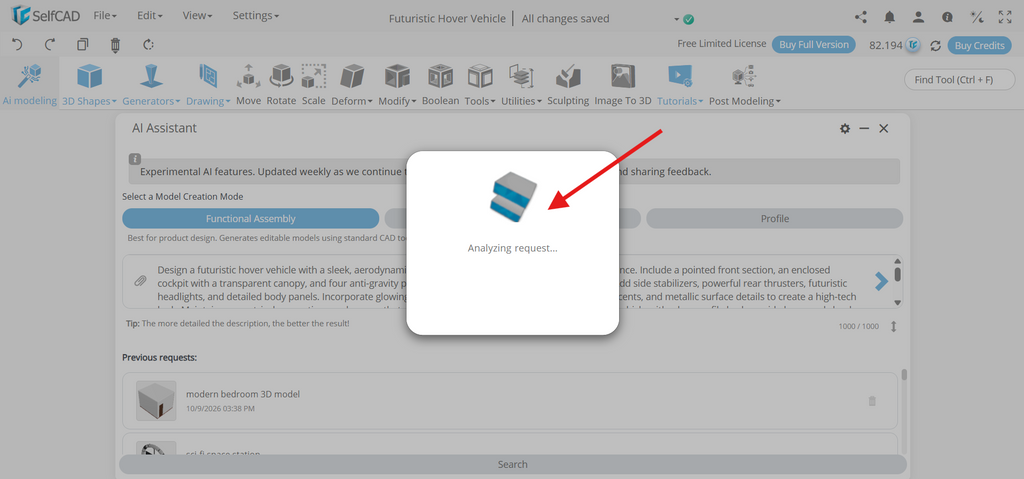
Unlike traditional modeling, where you build and position individual shapes manually from the beginning, this AI-assisted approach lets you describe your concept first and use the generated geometry as a starting point. You can then review the result and determine which parts need improvement.
Ask for Modification:
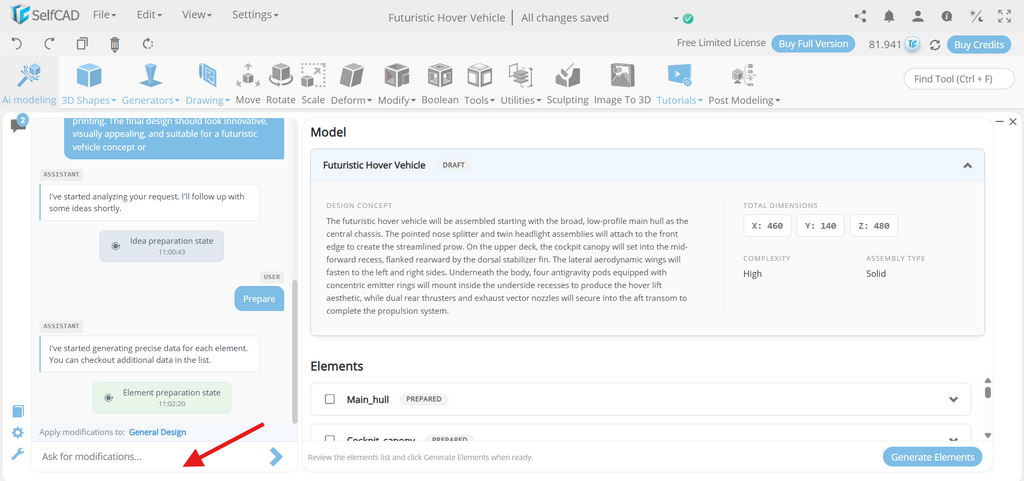
Once the model components are generated, you can use AI to make further changes. Describe the adjustments you want, such as widening the main body, reshaping the cockpit, repositioning the propulsion units, or adding details to the side panels. The AI can modify the selected element according to your instructions, helping you refine the vehicle’s proportions, structure, and futuristic appearance.
Step 7: Prepare Parts
The AI assistant will create a design concept as well as a draft of the components.
Go ahead and click prepare parts:
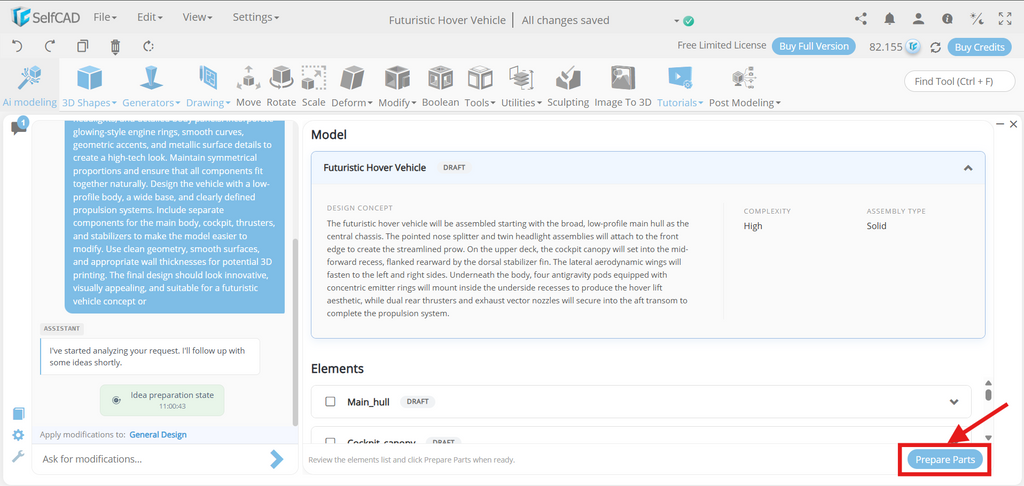
The tool is now preparing the elements, as you can see:
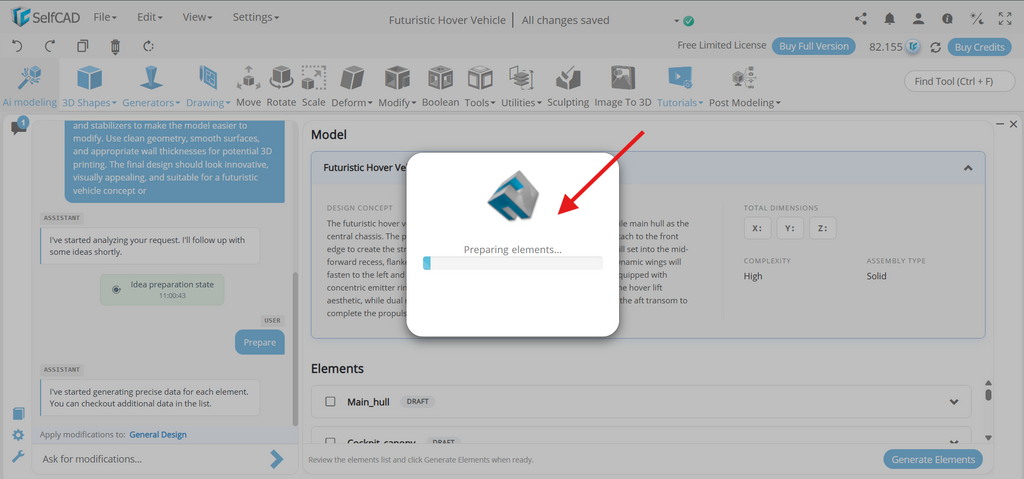
Step 8: Generate Elements
Before building the geometry, SelfCAD AI provides a design overview of the futuristic hover vehicle, including its concept, overall size, complexity, and assembly type. Check these elements to ensure they are consistent with your intended design.
The vehicle's intended components are detailed separately, including the main body, cockpit, propulsion units, aerodynamic panels, and landing supports. Select the elements you wish to include in your model and ensure that they meet your needs.
Once you have reviewed your selections, click Generate Elements to create the individual parts. This step establishes the basic geometry needed to assemble the futuristic hover vehicle and refine its appearance in the following stages.
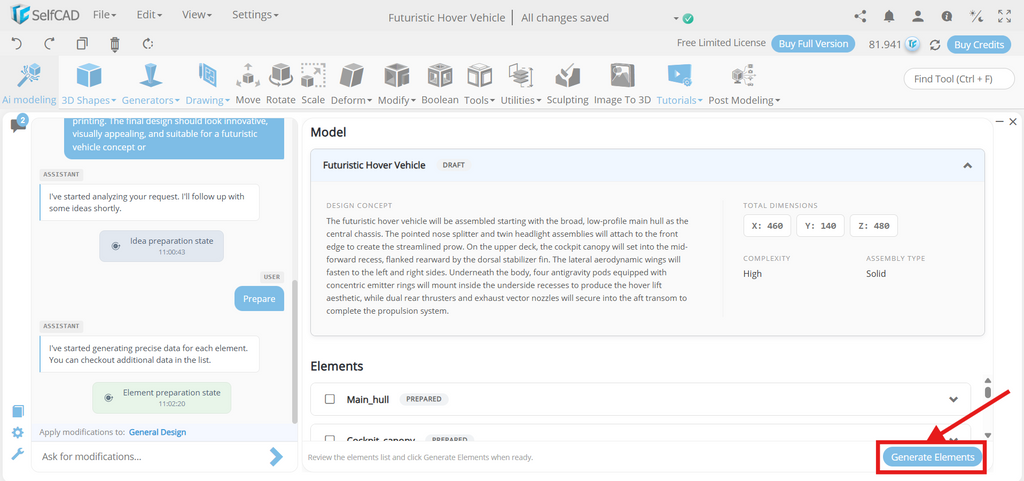
The tool will indicate that it is creating the following elements:
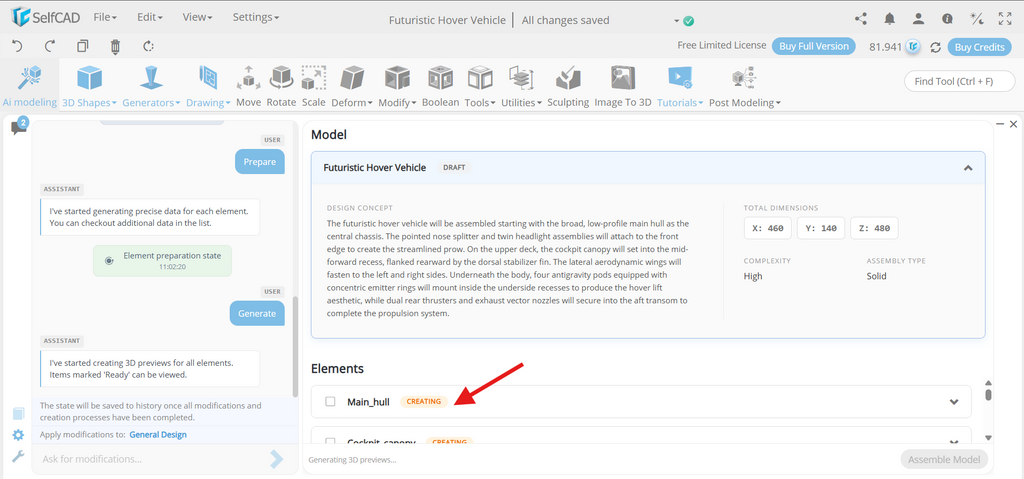
Step 9: Assemble Model
When the elements are prepared, click Assemble Model.
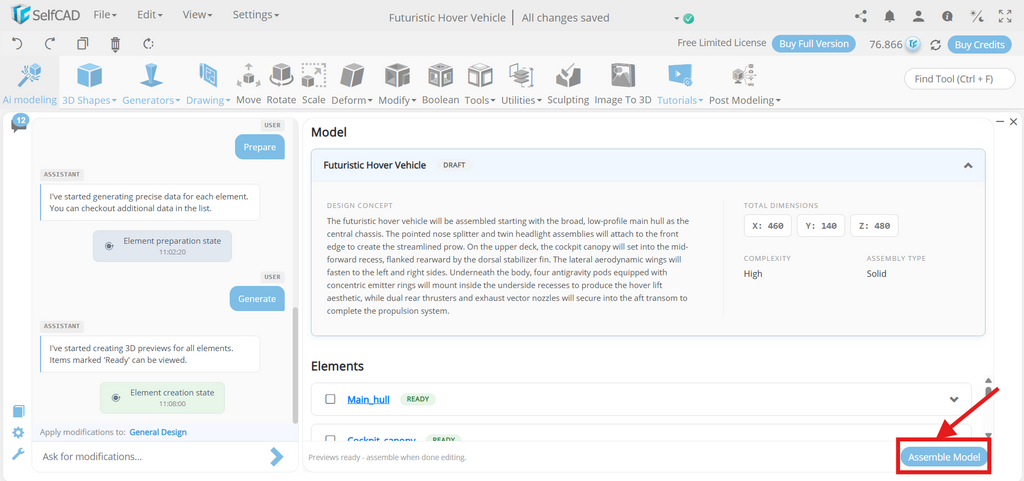
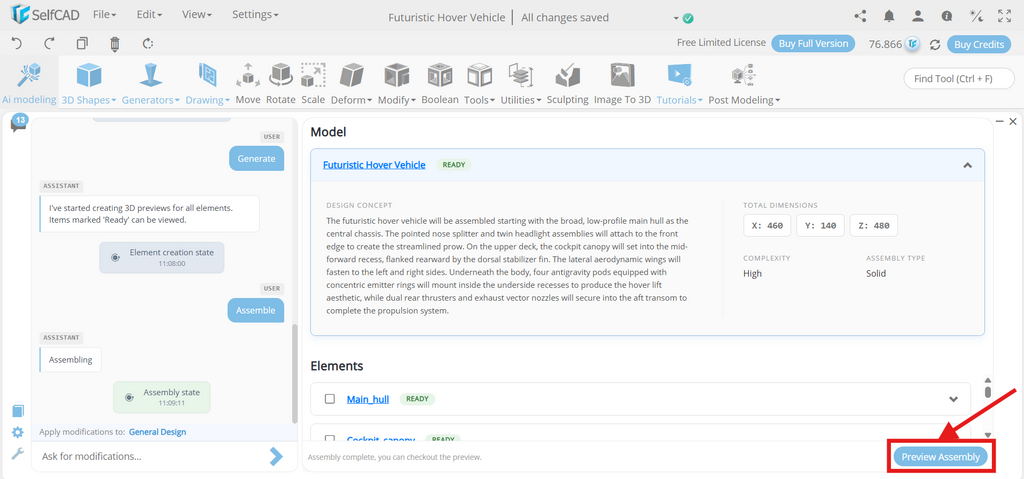
Once you click Assemble Model, the model will be ready. After that, choose Preview Assembly to view your model.
Step 10: Add the Hover Vehicle to the Scene
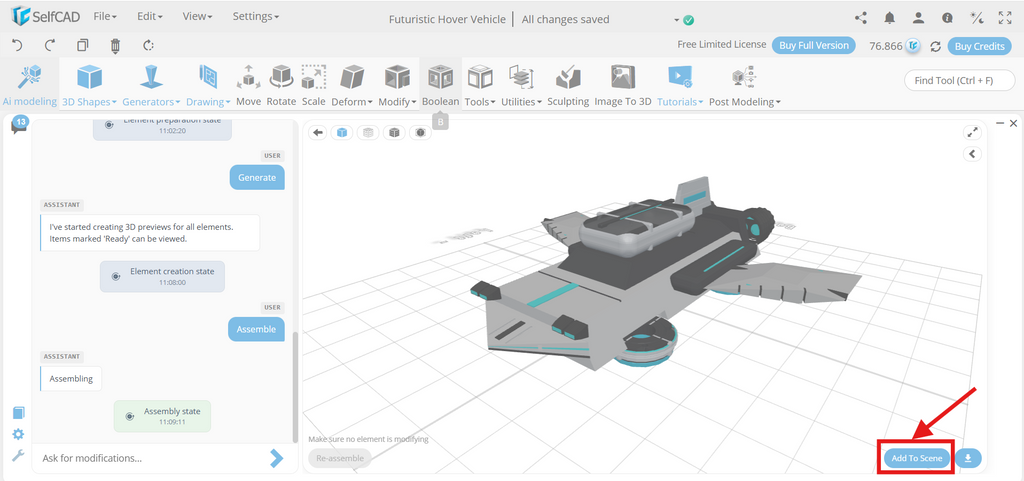
Once you are satisfied with the generated futuristic hover vehicle, add the model to the SelfCAD scene. The vehicle will then be available in the regular SelfCAD workspace, where you can continue editing and refining its components using the standard modeling tools.
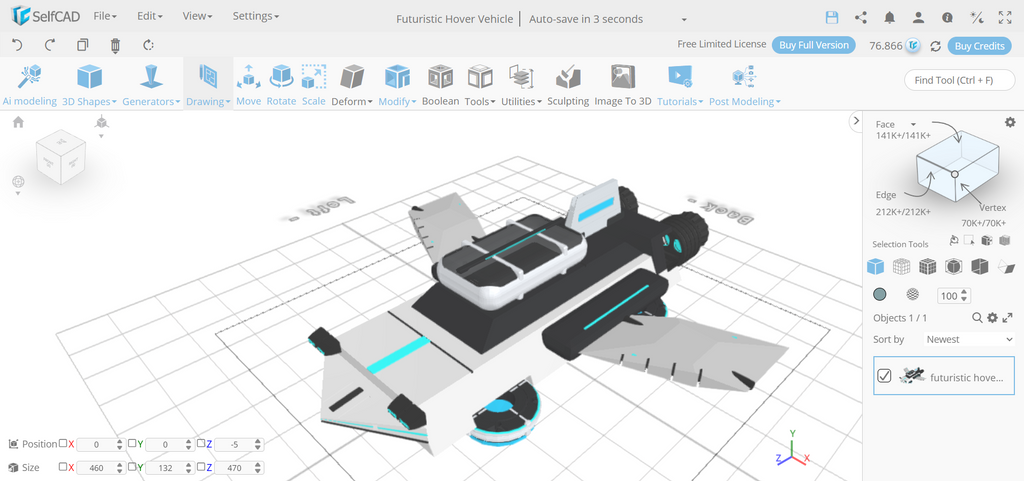
This step marks the transition from AI-assisted generation to hands-on customization. The Rotate Tool allows you to modify the vehicle's orientation, the Scale Tool allows you to change its dimensions, and the Move Tool allows you to rearrange specific parts. To create your ideal science-fiction design, you can also adjust the body's shape, the propulsion units' alignment, and the external elements.
Final Model:
Conclusion
SelfCAD AI Modeling streamlines the first design phase of a futuristic hover vehicle by converting verbal descriptions into basic 3D geometry. Rather than starting from zero when designing the vehicle's external panels, propulsion units, cockpit, and fuselage, you can describe your concept and, if you'd like, include a reference photo.
You can improve the created model by altering its dimensions, proportions, component placements, and surface details using extra instructions. Once satisfied, utilize SelfCAD's typical modeling tools to refine the geometry, personalize the appearance, and complete the design. This AI-assisted approach transforms inventive science-fiction notions into configurable 3D car models.