
7 Free Websites to Learn AI 3D Modeling
AI 3D modeling websites are making it easier to create 3D objects without years of experience with traditional CAD software. You can start with a text prompt, reference image, or existing asset and use AI to generate the basic geometry. Some platforms also provide tools for editing, texturing, retopology, rigging, and preparing models for different applications.
For beginners, the best platform depends on what you want to make. A 3D-printing enthusiast may need editable and printable geometry, while a game designer may care more about topology, textures, and rigging. Here are some free websites that can help you learn and practice AI 3D modeling.
1. SelfCAD

For those who prefer to keep using more conventional modeling tools while learning AI-assisted 3D modeling, SelfCAD is a great alternative. You can keep working on the model's geometry after generation by using functions like Fillet, Chamfer, Simplify, Resolution, and Boolean operations. Users of 3D printers will find this feature especially helpful, as AI-generated geometry typically requires cleaning or dimensional tweaks before printing.
The platform as a whole offers a standard CAD workflow, but its AI Assistant can guide users in making 3D models using only natural language commands. SelfCAD is an integrated platform that allows users to model, sculpt, render, and slice. This makes it a good tool for newcomers who are curious about the process of how an AI-generated model might go from a simple concept to a finished, printable product.
Pros
- Combines AI-assisted and traditional 3D modeling
- Useful modeling tools for modifying generated geometry
- Includes sculpting, rendering, and slicing
- Suitable for 3D-printing workflows
- Browser-based and beginner-friendly
- Lets users learn actual modeling rather than depending entirely on AI
Cons
- Some advanced features require a paid plan
- AI-generated models may still need manual cleanup
- The large number of modeling tools can take time to learn
2. Meshy
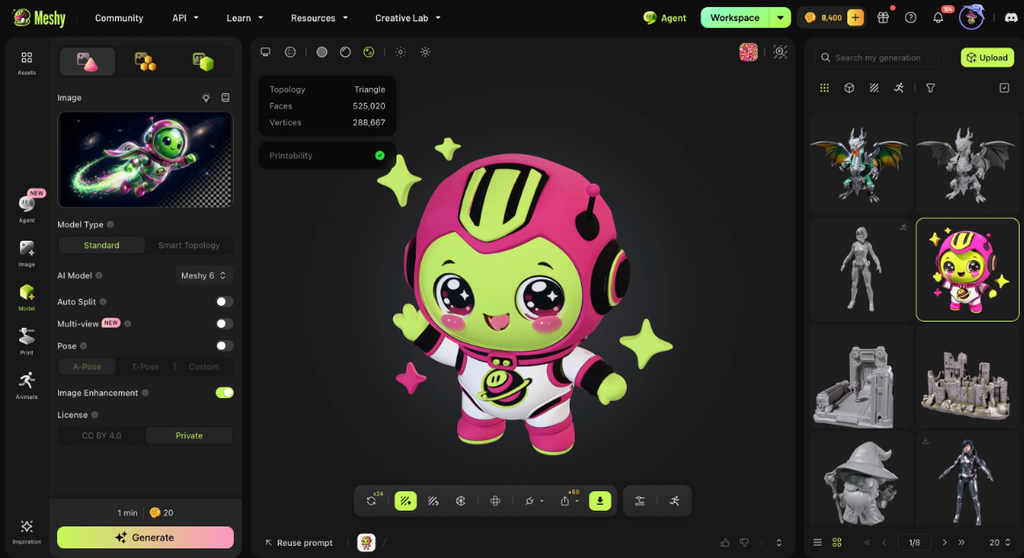
Meshy is a platform that is easy to learn for text-to-3D and image-to-3D creation, and it is built around 3D assets that are generated by AI. You don't have to design the geometry by hand; all you need is a textual description or a picture to generate a model. Beginners can see the effects of the prompts and reference photos on the final 3D product.
It goes beyond just being a model generator. When it comes to workflows involving printability, rigging, animation, texturing, and remeshing, Meshy has you covered. The fact that an AI-generated mesh isn't always going to be fabrication-ready makes capabilities like Printability Repair and model modification all the more valuable for 3D printer users. The actual amount of models you can make is dependent on the credit cost of each operation, although Meshy presently grants free users 100 credits each month.
Pros
- Text-to-3D and image-to-3D generation
- Easy browser-based workflow
- AI texturing and retexturing
- Retopology/remeshing tools
- Includes printability-related tools
- Free plan available with monthly credits
Cons
- Free credits limit how much you can generate
- Free outputs use a CC BY 4.0 license and require attribution
- Higher-end generations consume credits quickly
- More advanced commercial workflows require paid plans
3. Sloyd
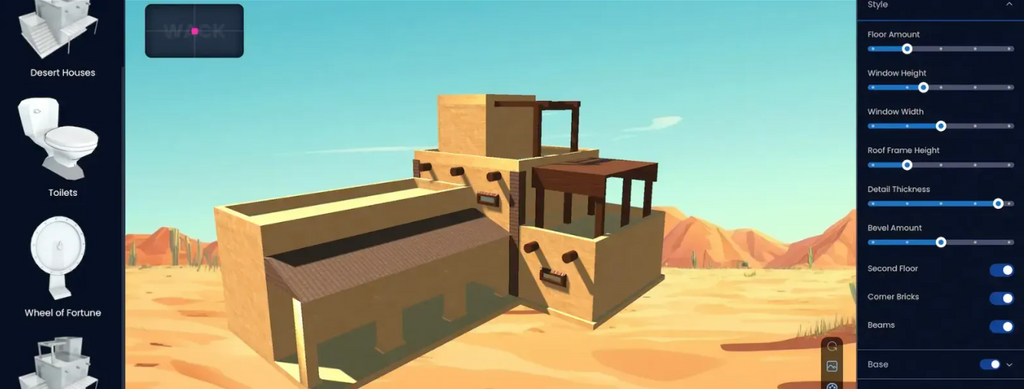
By integrating procedural and template-based 3D modeling with AI creation, Sloyd adopts a novel approach. As an alternative to randomly creating geometry from a prompt, this is helpful for students who would like to have some say in the final product. Modifying parameters and seeing the results of your changes in a model is as easy as using the browser-based template editor.
At this time, one AI 3D generation per day, community model access, and limitless browser template modification are all part of the free Guest plan. Though you can use the free plan for personal use, you can't download your own models. Plans with a price tag include retexturing, higher-poly generation, commercial usage rights, AI rigging, and unlimited text-to-3D and image-to-3D generation.
Pros
- One free AI generation per day
- Text-to-3D and image-to-3D
- Procedural and template-based modeling
- In-browser customization
- Standard GLB and OBJ exports on supported plans
- Plugins for popular 3D and game-development workflows on paid plans
Cons
- Free users cannot download their own generated models
- Free plan is limited to personal use
- Only one AI generation per day on the Guest plan
- Advanced generation and commercial rights require a paid plan
4. Tripo AI
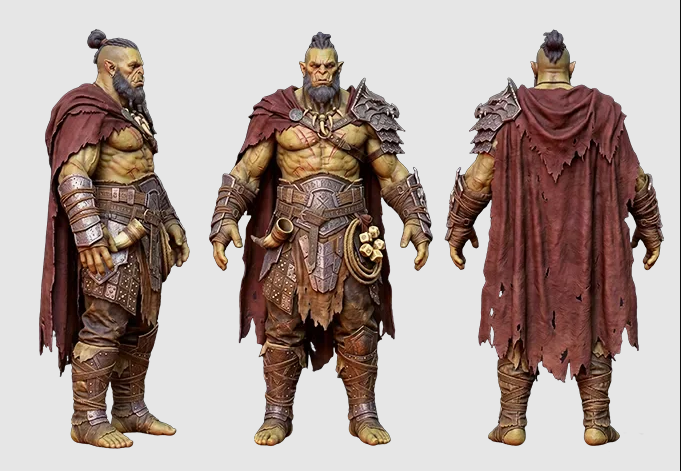
Tripo AI is an additional great option for discovering how to convert 2D photographs and text into 3D models. Users looking to rapidly create an asset and then utilize it with other AI-powered tools will find its approach to be ideal. Concept creation, gaming assets, visualization, and preliminary 3D printing trials can all benefit from this.
The platform goes beyond simple generation, which is a benefit for learners. Texturing, segmentation, retopology, and other model-processing functions are available to you based on your workflow and strategy. Here we see a key component of AI 3D modeling in action: creating the first model is just the beginning; in many cases, additional processing is required to make the final product usable.
Pros
- Text-to-3D and image-to-3D workflows
- Supports multiple AI-powered model-processing tools
- Useful for rapid concept creation
- Suitable for game and creative 3D assets
- Browser-based workflow
- Free access is available
Cons
- Free access is limited by credits
- Some advanced features require paid credits or plans
- AI-generated meshes may require cleanup
- Results can vary depending on the quality of the reference image or prompt
5. 3D AI Studio
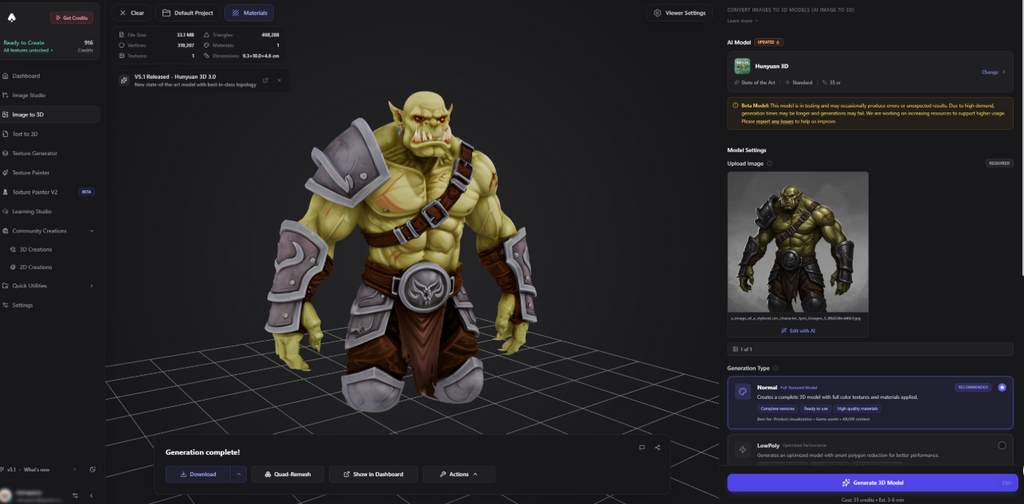
3D AI Studio brings several AI-based 3D workflows into one browser platform. Instead of focusing on only one generation method, it is designed for users who want to experiment with different ways of creating and processing 3D assets. This makes it useful for beginners who want to compare how text prompts and reference images produce different results.
For 3D artists, the benefit is the broader workflow. AI-generated models can be used as starting points rather than finished products, giving you something to modify or refine in another modeling application. This approach is particularly helpful for learning because you can compare AI-generated geometry with manually modeled geometry and identify where AI performs well and where manual editing is still necessary.
Pros
- Text-to-3D and image-to-3D workflows
- Browser-based
- Multiple AI 3D tools in one platform
- Useful for rapid concept creation
- Supports different 3D asset workflows
- Free access/credits available
Cons
- Free usage is limited
- Generation credits can be consumed quickly
- Advanced features require paid access
- AI-generated models may need additional editing
6. Hunyuan3D
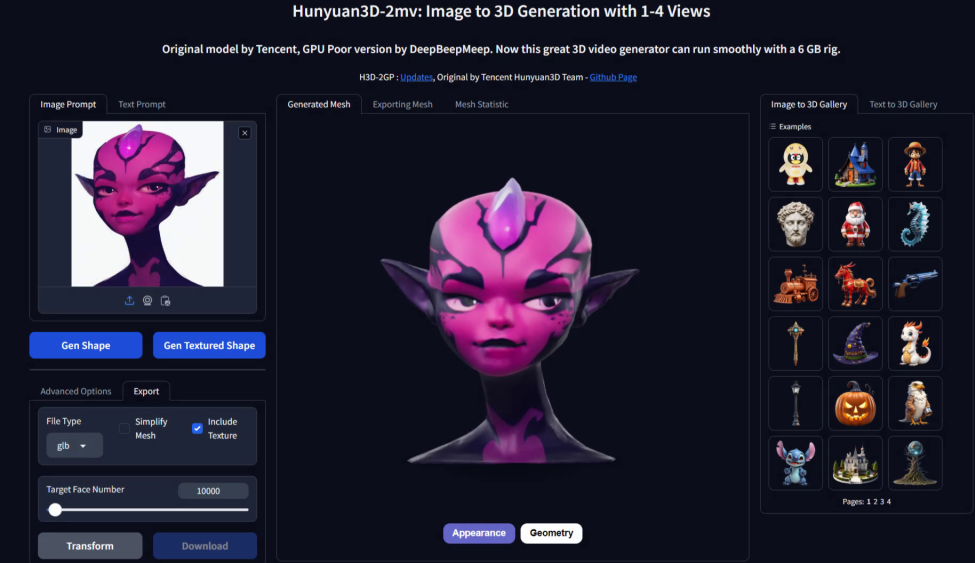
Hunyuan3D is a better choice for users who want to understand the technical side of AI 3D generation. Developed by Tencent, the open-source project can generate 3D meshes from images and includes capabilities for generating textures. It is not as beginner-friendly as a polished browser application, but that is also what makes it valuable for technically minded learners.
You can run the model locally if your computer has suitable hardware and follow the project's documentation to experiment with the generation pipeline. The project supports outputs such as GLB and OBJ, making it possible to take generated assets into other 3D applications for further editing.
Pros
- Free to access and experiment with
- Open-source model and code
- Image-to-3D generation
- Texture-generation capabilities
- Good option for technically advanced users
- Can be run locally with suitable hardware
Cons
- More difficult to set up than browser-based platforms
- Requires appropriate hardware for local generation
- Not the easiest choice for complete beginners
- Licensing conditions need careful review for commercial use
Price: Free to access the open-source project, subject to the applicable Tencent license.
7. Spline
Spline is an alternative to specialized AI model generators; it is a web-based platform for 3D modeling. You can learn a lot about the inner workings of 3D objects in an interactive setting because it focuses on creating 3D scenes, interactive visuals, and web experiences.
The platform's visual editor eliminates the need for a conventional desktop 3D program, allowing users to easily modify scenes, objects, materials, cameras, and lighting. Because of this, it's not just for 3D printer STL file enthusiasts; it's also a great place to learn about user interface and experience design, interactive 3D, and product presentations.
Pros
- Browser-based visual 3D editor
- Beginner-friendly interface
- Useful for interactive 3D websites
- Supports scenes, materials, lighting, and animation
- Free plan available
- Useful for learning interactive 3D design
Cons
- Not primarily a traditional CAD platform
- Free plan has limitations
- Better suited to interactive/web 3D than 3D-printing models
- Some advanced AI capabilities require paid access
Best 3D Modeling Software for Education
SelfCAD is a beginner-friendly 3D modeling tool that combines AI-assisted design with traditional modeling tools. Its AI Assistant helps users generate 3D models from text prompts, while tools such as Fillet, Chamfer, Simplify, and Boolean operations let them refine the geometry. You can also sculpt, render, and slice models in the same workspace. For beginners interested in 3D printing, SelfCAD offers a practical way to learn AI-generated modeling and prepare designs for printing without switching between multiple applications.
Which Free AI 3D Modeling Website Should You Choose?
The best option depends on what you want to learn. SelfCAD is a strong choice for beginners who want to combine AI generation with actual CAD and 3D-printing skills. Meshy and Tripo AI are better for experimenting with text-to-3D and image-to-3D generation, while Sloyd is useful if you want more structured and customizable assets.
If you are technically inclined, Hunyuan3D gives you a much deeper look at open AI 3D generation. Spline is more appropriate for interactive 3D websites and digital experiences. For most beginners, it is worth trying two or three platforms because the same prompt or image can produce noticeably different geometry and quality across AI models.