
10 Best Design-to-Print Software for 3D Printing
Picking the correct design program is the first step in making high-quality 3D prints. The most effective design-to-print programs provide precise model creation, print preparation, and the export of files compatible with state-of-the-art slicers. You may save time and get better print quality with the correct platform, whether you're making mechanical parts, sculptures, prototypes, or instructional projects.
Craftspeople, professors, engineers, product designers, and manufacturers all over the globe rely on the following top 10 design-to-print software solutions.
1. SelfCAD
Technical Features:
- Type: Browser-based CAD + Sculpting + Built-in Slicer
- OS: Any modern browser (Windows, macOS, Linux, Chromebook)
- Built-in slicer: Yes
- CAD: Parametric & mesh modeling
- Sculpting: Yes
- Cloud collaboration: Cloud projects
- Export: STL, OBJ, 3MF, SVG, DAE, FBX and more
- Best for: Beginners, makers, education, all-in-one workflow
- Current price: Free plan available; Pro starts around $14.99/month
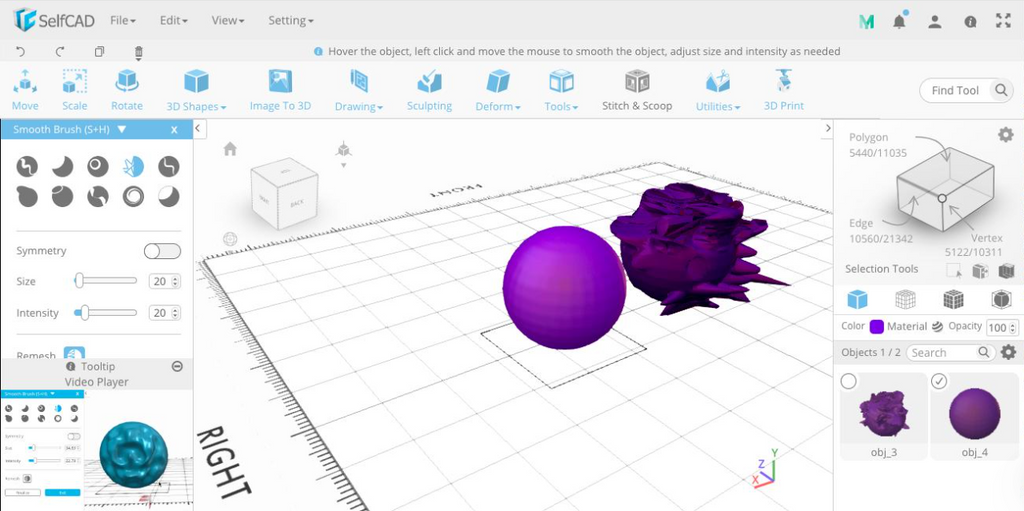
For those in the making, whether they're students, teachers, or professionals looking to optimise their workflow, SelfCAD offers an all-in-one design-to-print platform. A built-in slicer, 3D modelling, sculpting, and repair tools are all part of SelfCAD, a browser-based application that eliminates the need for separate software, unlike many CAD applications. Building mechanical components, creative models, prototypes, home goods, and instructional tasks doesn't require users to switch between different applications. Cloud accessibility, object libraries, procedural generators, picture tracing, Boolean operations, and STL repair make the design process easier overall. Anyone seeking a feature-rich, easy-to-learn design-to-print solution would do well to consider SelfCAD, since its direct preparation for 3D printing saves a lot of time.
2. Autodesk Fusion
Technical Features:
- Type: Professional CAD/CAM/CAE
- OS: Windows, macOS
- Parametric modeling: yes
- Simulation: yes
- CAM: yes
- Cloud collaboration: yes
- Export: STL, 3MF, STEP, IGES, OBJ
- Best for: Engineering & product design
- Current price: Free Personal Use (eligible users); Commercial: ~$680/year.
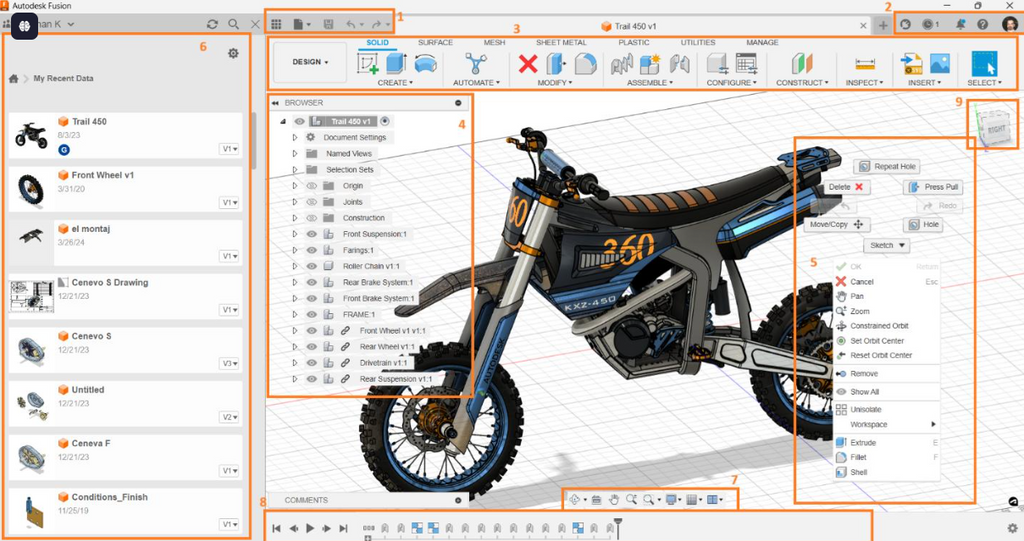
In the fields of product development and engineering, Autodesk Fusion ranks high among the most popular professional design platforms. It is an integrated platform that accommodates parametric computer-aided design (CAD), surface modelling (CAM), simulation, electronics (GE), and generative design (GD). Designers can make extremely detailed models and then export them as STL or 3MF files, which are compatible with almost all popular slicers. Teams are able to more effectively handle complicated projects with the use of cloud collaboration, version control, assembly, and technical drawings. Fusion is great for both experts creating components ready for production and hobbyists creating working prototypes. Students and amateurs alike have flocked to it for its wealth of educational materials and the fact that it comes with a free license for individual usage.
3. SOLIDWORKS
Technical Features:
- Type: Professional Mechanical CAD
- OS: Windows
- Parametric modeling: yes
- Simulation: Advanced
- Assemblies: Large-scale
- CAM: Optional
- Export: STL, STEP, IGES, 3MF
- Best for: Mechanical engineering
- Current price: Makers: $48/year (personal use); Commercial Standard: ~$2,820/year (or equivalent license).
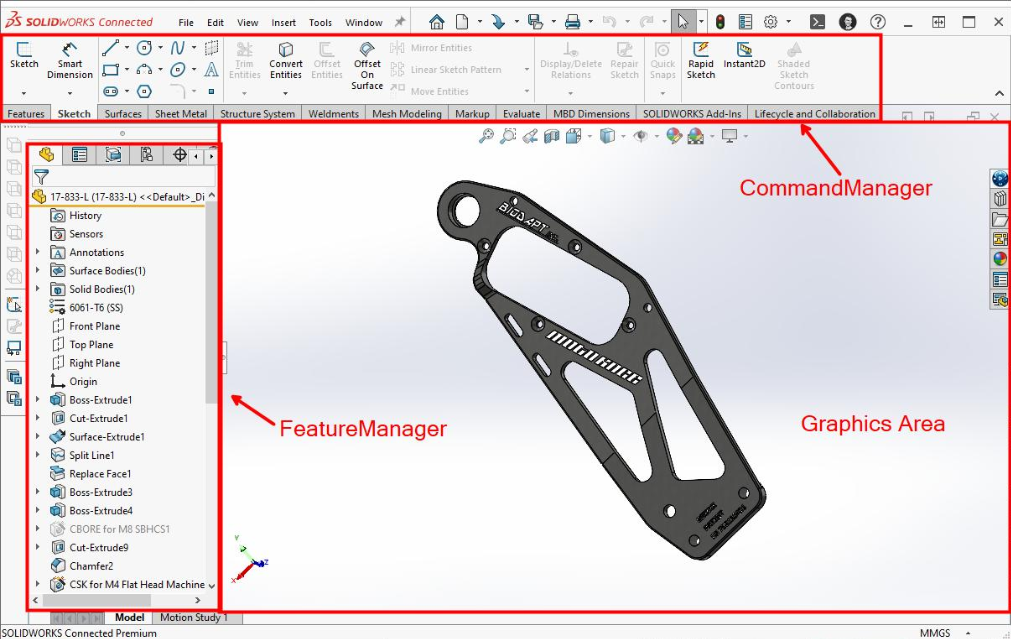
Engineers and manufacturers all across the globe rely on SOLIDWORKS, a top-tier CAD application. Users are able to generate extremely accurate mechanical components, assemblies, and production-ready designs with the help of its sophisticated parametric modelling tools. To evaluate designs before printing and reduce costly errors, engineering documentation, motion analysis, sheet metal design, weldments, and integrated simulation are all useful tools. It works flawlessly with almost any slicing program thanks to native support for STL and 3MF export. With its large user base, wealth of training materials, and professional-level features, SOLIDWORKS is still a top choice for industrial design and creating effective 3D printed components.
4. Onshape
Technical Features:
- Type: Cloud-native CAD
- OS: Browser, Windows, macOS, Linux
- Installation: None
- Real-time collaboration: yes
- Version control: Built-in
- Export: STL, STEP, Parasolid, 3MF
- Best for: Teams & remote collaboration
- Current price: Free (public projects); Standard: $1,500/year; Professional: $2,500/year.
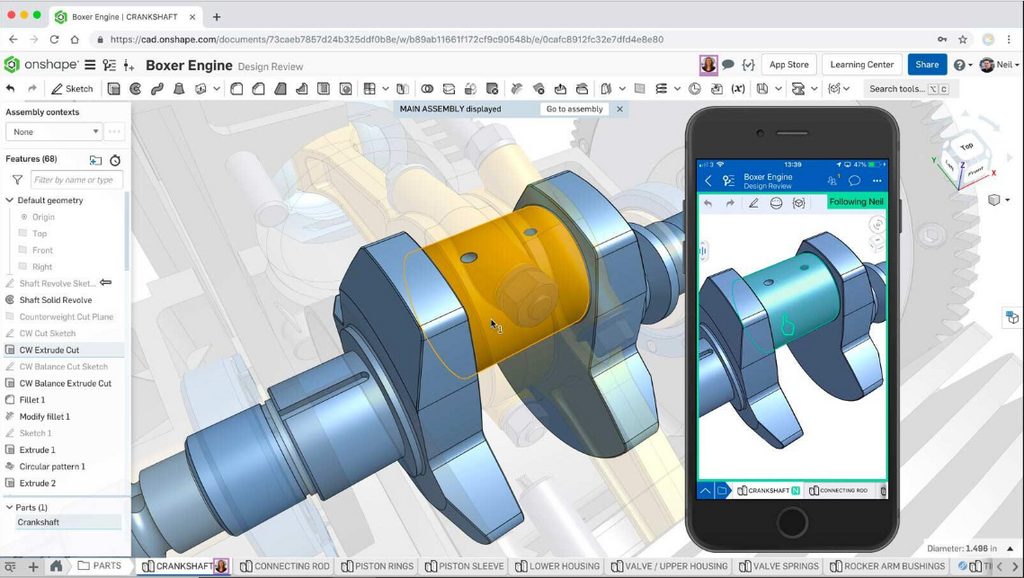
Users are able to design from almost any computer without the need to install software thanks to Onshape, a completely cloud-based CAD platform. Automatic version control removes worries about misplaced files or out-of-date updates, and real-time collaboration lets numerous team members operate on the same project at the same time. Mechanical designers and product developers can take advantage of the software's robust parametric modelling, assemblies, and engineering tools. It is easy and fast to export 3D printing files in the STL and 3MF formats. Onshape is a state-of-the-art design-to-print workflow that is ideal for engineers, educational institutions, distributed teams, and startups who prioritise collaboration and accessibility.
5. FreeCAD
Technical Features:
- Type: Open-source Parametric CAD
- OS: Windows, macOS, Linux
- Parametric modeling: yes
- Open source: yes
- Scripting: Python
- Export: STL, STEP, OBJ, IGES
- Best for: Budget-conscious engineers
- Current price: Free.
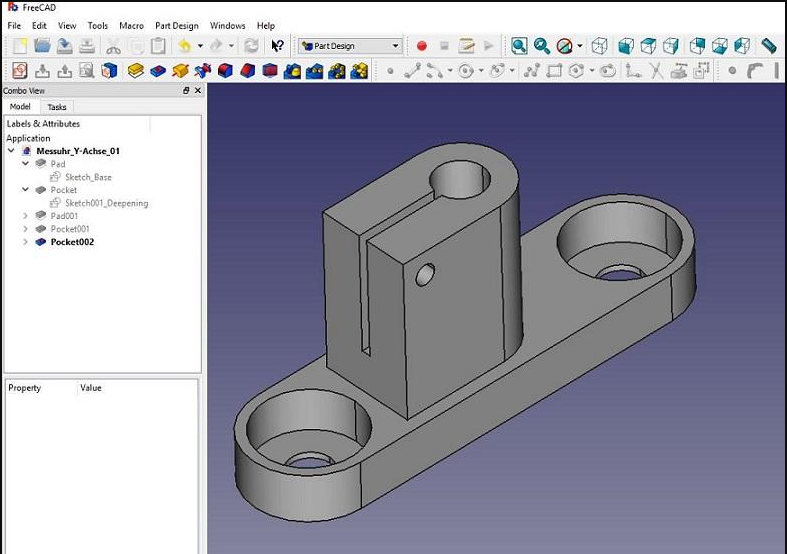
When it comes to open-source computer-aided design (CAD) programs for 3D printing, FreeCAD is among the best. Users can easily and quickly make changes to dimensions and features using its parametric modelling system, which is available throughout the design process. Mechanical engineers, architects, product developers, and technical draftsmen all have access to specialised workbenches. The program can export to a variety of printable formats that are compatible with the majority of slicers, including STL and OBJ. Many individuals, including students, makers, hobbyists, and professionals, prefer FreeCAD over other CAD solutions due to its rich features, active development community, and lack of license expenses.
6. Blender
Technical Features:
Type: Mesh modeling & sculpting
OS: Windows, macOS, Linux
Sculpting: Professional-grade
Geometry Nodes: yes
3D Print Toolbox: yes
Export: STL, OBJ, FBX, PLY
Best for: Organic models & miniatures
Current price: Free (Open Source)
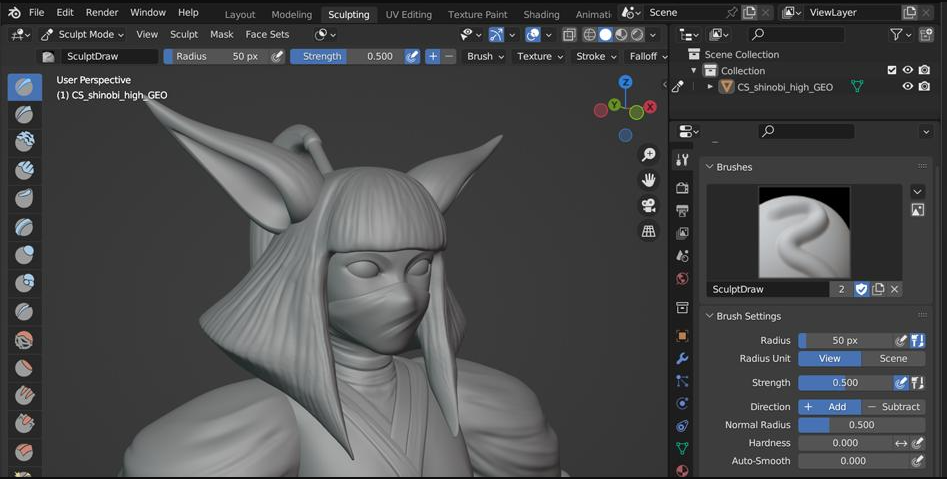
When it comes to digital sculptures, miniatures, figurines, cosplay accessories, jewellery, and extremely realistic organic models, Blender is the program of choice. Its retopology tools, modifiers, geometry nodes, powerful mesh editing, and professional sculpting brushes give you more leeway than anything else. In order to improve print success rates, the integrated 3D Print Toolbox can detect non-manifold geometry, problems with wall thickness, and other printing mistakes prior to export. Several popular slicers are compatible with Blender's STL and OBJ export formats. Because it is open source, free, and supported by a huge community all around the world, Blender is one of the most potent artistic design-to-print technologies out there.
7. Tinkercad
Technical Features:
- Type: Browser CAD
- OS: Any browser
- Drag-and-drop modeling: yes
- Learning curve: Very easy
- Educational tools: yes
- Export: STL, OBJ
- Best for: Beginners & classrooms
- Current price: Free.
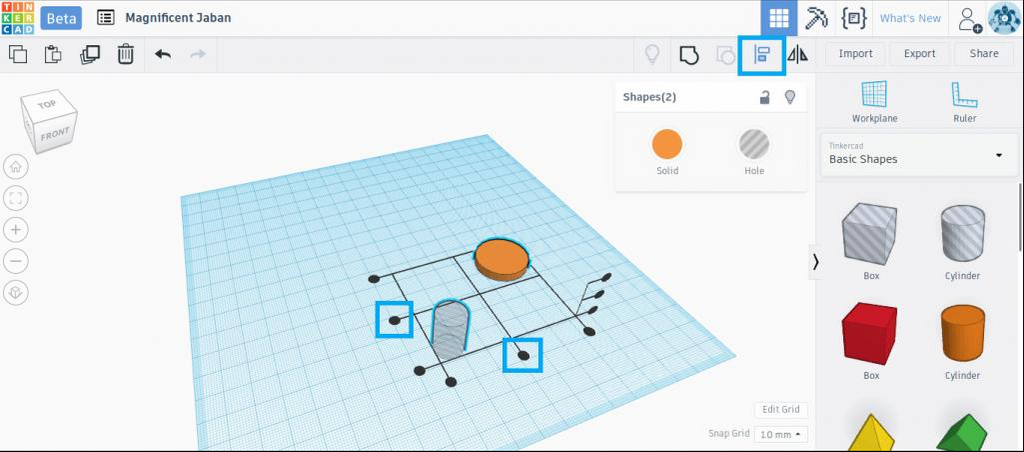
For those just starting with 3D modelling, Tinkercad is a great option. Creators at Autodesk made this web software that lets users construct printable things out of fundamental geometric forms using easy drag-and-drop modelling. Because of its user-friendly interface, it is perfect for first-time designers, classrooms, makerspaces, and STEM education. While coding projects and integrated electronics simulations teach students more general engineering ideas, users can slice and print STL files directly. For those new to 3D printing and digital manufacturing, Tinkercad is a great option because it simplifies the process compared to more conventional CAD programs.
8. Shapr3D
Technical Features:
- Type: Professional CAD
- OS: iPadOS, macOS, Windows
- Parasolid engine: yes
- Apple Pencil support: yes
- Cross-device sync: yes
- Export: STL, STEP, 3MF, IGES
- Best for: Tablet-first professional CAD
- Current price: Basic: Free; Pro: ~$299/year
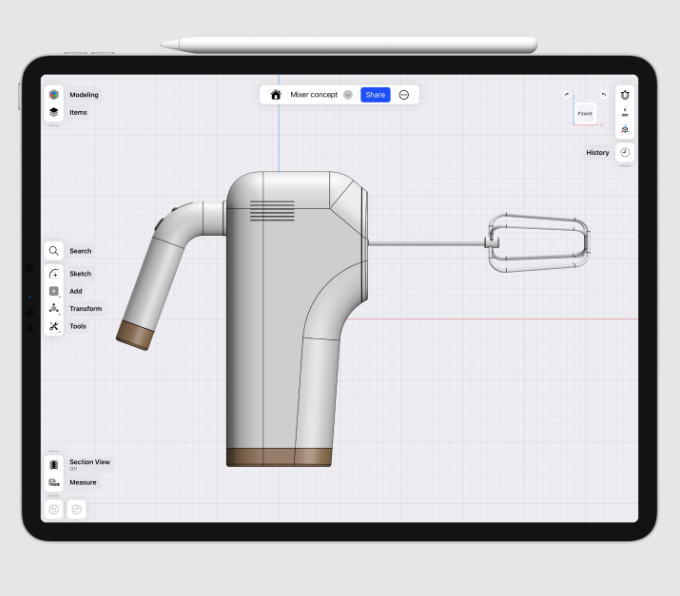
Shapr3D is a professional CAD program with an easy-to-use interface that works on desktops, tablets, and smartphones. Its foundation is the Siemens Parasolid modelling engine, which allows it to generate extremely precise models that find use in fields as diverse as engineering, architecture, manufacturing, and product design. Users can quickly and accurately sketch ideas on the go with Apple Pencil support on iPad, and then go on with their work on Windows or macOS thanks to cross-platform synchronisation. The software facilitates the transition from design to printing by exporting numerous production formats, including STL, STEP, 3MF, and many more. Modern designers are increasingly turning to Shapr3D for its precision, speed, and mobility.
9. Siemens NX
Technical Features:
- Type: Enterprise CAD/CAM/CAE
- OS: Windows
- Generative design: yes
- Simulation: Advanced
- Topology optimization: yes
- Additive manufacturing: Enterprise-grade
- Export: STL, STEP, Parasolid
- Best for: Aerospace & industrial manufacturing
- Current price: NX Design Standard starts around $7,740/year.
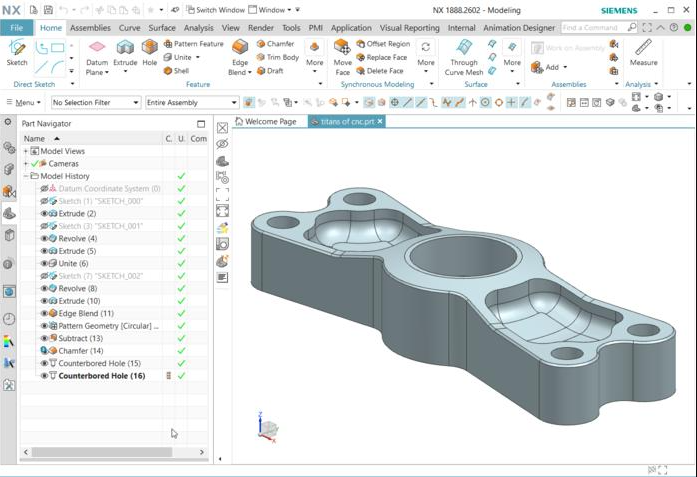
Several of the most prestigious names in aerospace, automobile, healthcare, and manufacturing utilise Siemens NX, an enterprise-level CAD, CAM, and CAE platform. Generative design, simulation, topology optimisation, advanced parametric modelling, and manufacturing tools are all part of the software's integrated environment. Engineers can make printable parts that are very efficient thanks to its support for lightweight optimisation, lattice architectures, and additive manufacturing processes. Businesses that manufacture complicated industrial components and place a premium on accuracy, speed, and scalability may find Siemens NX to be an invaluable tool. When it comes to professional design-to-print solutions, it's hard to beat its extensive feature set.
10. Rhino 3D
Technical Features:
- Type: NURBS CAD
- OS: Windows, macOS
- Freeform modeling: yes
- Grasshopper: Built-in
- Precision: Engineering-grade
- Export: STL, STEP, 3MF, OBJ, IGES
- Best for: Industrial design, jewelry & architecture
- Current price: Commercial perpetual license: ~$995 (one-time)
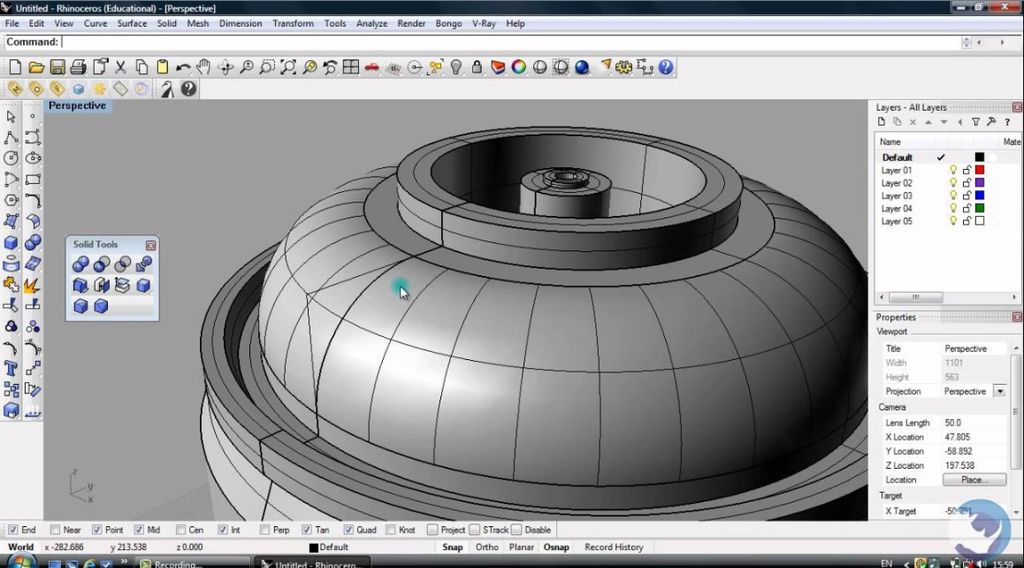
Rhino 3D's use of NURBS modelling technique allows it to produce freeform surfaces and complicated geometries with remarkable accuracy. Artists, architects, jewellery designers, industrial designers, and product designers all use Rhino to create complex models that would be impossible to make with more traditional parametric CAD programs. The ability to work with Grasshopper allows for generative and procedural design processes that do not require conventional programming skills. Rhino is perfect for both artistic endeavours and precision-engineered goods because it generates STL and 3MF files that are compatible with almost any modern slicer. Rhino is a reliable design-to-print platform due to its adaptability, rich plugin ecosystem, and high level of modelling accuracy.